
Cloud computing has changed the way businesses and individuals use technology. Instead of purchasing and maintaining all the hardware and software needed to run applications, organizations can access computing resources and services through the internet.
However, not all cloud services work in the same way.
Three of the most common cloud service models are SaaS, PaaS, and IaaS. Each one provides a different level of control and responsibility, from ready-to-use applications to virtual servers and computing infrastructure.
Understanding the difference between SaaS vs PaaS vs IaaS can help businesses choose the right type of cloud service for their needs.
What Do SaaS, PaaS, and IaaS Mean?
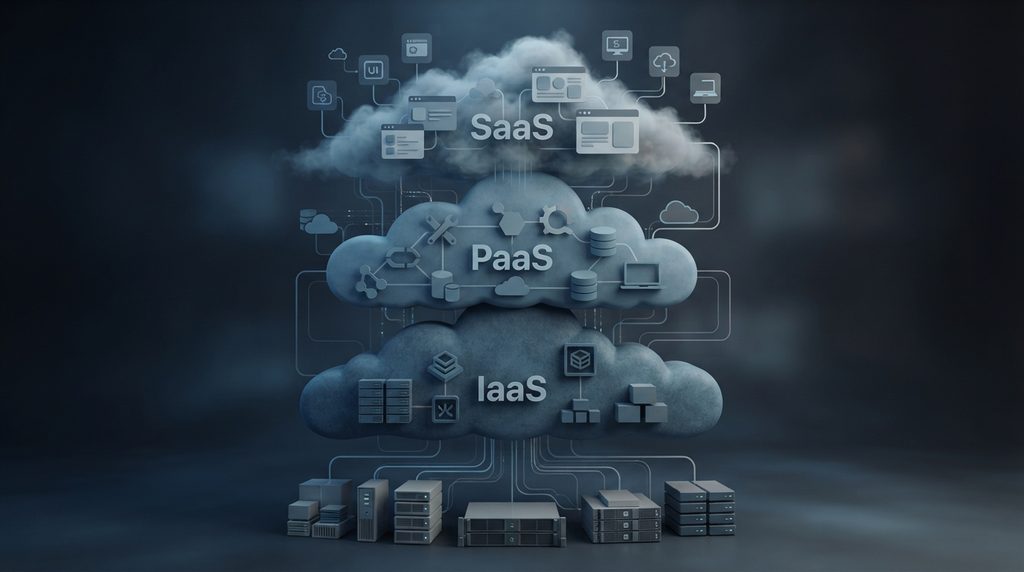
SaaS, PaaS, and IaaS represent different levels of cloud service and customer responsibility. Amazon Web Services (AWS) explains these models as different ways organizations can consume cloud-based software, platforms, and infrastructure depending on how much control they need.
SaaS, PaaS, and IaaS describe different ways of delivering technology through the cloud.
SaaS stands for Software as a Service. It provides ready-to-use software that customers access through the internet.
PaaS stands for Platform as a Service. It provides developers with a cloud-based environment for building, testing, and deploying applications.
IaaS stands for Infrastructure as a Service. It provides fundamental computing resources such as virtual machines, storage, and networking.
The easiest way to understand the difference is to think about how much of the technology stack the cloud provider manages for you.
With SaaS, the provider manages almost everything.
With PaaS, the provider manages the underlying infrastructure and development platform while the customer focuses primarily on applications and code.
With IaaS, customers have much more control over their virtual infrastructure and are responsible for managing more components themselves.
What Is SaaS?
SaaS is the cloud model most people encounter in everyday software. Instead of installing and maintaining applications locally, users can access them through the internet. For a deeper explanation of this model, see SaaS Explained: What Software as a Service Means.
Instead of installing and maintaining the application on local computers or servers, users generally access it through a web browser or dedicated application.
Common examples include productivity software, communication platforms, customer relationship management systems, project management tools, and cloud storage services.
SaaS has become one of the most familiar forms of cloud computing because users don’t need to manage the underlying servers or infrastructure themselves.
Advantages of SaaS
SaaS can provide several benefits:
- Easy access through the internet
- No need to maintain physical servers
- Automatic software updates
- Easier deployment
- Flexible subscription models
- Accessibility across multiple devices
- Reduced responsibility for infrastructure management
For many businesses, SaaS removes much of the technical work associated with maintaining traditional software.
Disadvantages of SaaS
The convenience of SaaS also comes with trade-offs.
Customers have less control over the underlying infrastructure and software environment. They also depend on the provider for availability, updates, security practices, and continued access to the service.
Organizations should therefore evaluate issues such as data protection, access controls, compliance, pricing, and vendor reliability before adopting an important SaaS platform.
What Is PaaS?
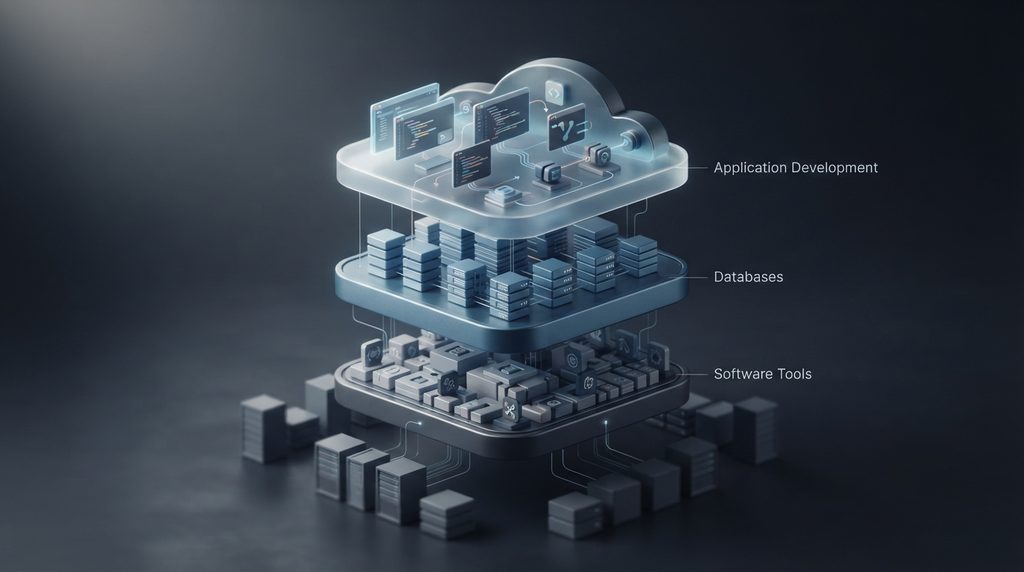
Platform as a Service (PaaS) provides developers with a cloud-based environment for creating and deploying applications.
Instead of managing servers, operating systems, and much of the underlying infrastructure, developers can focus primarily on writing and deploying application code.
A PaaS environment can provide tools and services for application development, databases, runtime environments, testing, and deployment.
This can make application development faster because developers don’t necessarily need to build and maintain the entire infrastructure themselves.
Advantages of PaaS
PaaS can be useful for development teams because it can provide:
- Faster application development
- Simplified deployment
- Managed development environments
- Easier scaling
- Reduced infrastructure management
- Collaboration between development teams
- Integration with databases and other cloud services
PaaS is particularly useful when developers want to concentrate on building applications rather than maintaining the infrastructure underneath them.
Disadvantages of PaaS
PaaS also has limitations.
Developers have less control over the underlying infrastructure than they would with IaaS. There can also be concerns about compatibility, platform restrictions, pricing, and dependence on a particular cloud provider.
Moving an application from one PaaS provider to another may require changes if the application relies heavily on provider-specific tools or services.
What Is IaaS?
Infrastructure as a Service (IaaS) provides virtualized computing resources through the cloud.
Instead of purchasing physical servers, businesses can rent computing resources such as virtual machines, storage, and networking from a cloud provider.
IaaS gives organizations considerably more control than SaaS or PaaS, but that control comes with greater responsibility.
Customers may need to manage operating systems, applications, configurations, security settings, and other parts of their virtual infrastructure.

Advantages of IaaS
IaaS can provide:
- Greater control over infrastructure
- Flexible computing resources
- Scalable storage
- Virtual networking
- Reduced need for physical hardware
- Ability to customize server environments
- Greater control over configurations
It can be particularly useful for organizations that need customized environments or have technical teams capable of managing infrastructure.
Disadvantages of IaaS
The additional control also means additional responsibility.
Organizations may need skilled IT professionals to configure, monitor, secure, and maintain their cloud infrastructure.
Misconfigured systems can also create security risks, particularly when sensitive data or internet-facing services are involved.
SaaS vs PaaS vs IaaS: The Main Difference
The biggest difference between the three models is who manages the different parts of the technology stack.
A simplified comparison looks like this:
| Cloud Model | What You Get | Customer Control | Best For |
|---|---|---|---|
| SaaS | Ready-to-use software | Low | Businesses and everyday users |
| PaaS | Application development platform | Medium | Developers |
| IaaS | Virtual infrastructure | High | IT teams and organizations |
Another way to look at it is:
SaaS: Use the software.
PaaS: Build software.
IaaS: Build and manage the infrastructure that supports software.
The more control you gain, the more responsibility you generally take on.
SaaS vs PaaS
SaaS and PaaS serve very different purposes.
A SaaS customer typically wants to use an application without worrying about how it is built or hosted.
A PaaS customer typically wants to develop and deploy an application without managing all of the underlying infrastructure.
For example, a company might use a SaaS customer relationship management platform to manage its customers while its developers use a PaaS environment to build an internal application.
SaaS is therefore focused on delivering software to users, while PaaS is focused on providing an environment for developers.
PaaS vs IaaS
PaaS and IaaS provide more technical control than SaaS, but they operate at different levels.
With PaaS, developers can use a managed environment to build and deploy applications without having to manage much of the underlying infrastructure.
With IaaS, organizations receive more fundamental computing resources and have greater responsibility for configuring and managing them.
This makes IaaS more flexible, but it can also require more technical knowledge.
A development team that wants to concentrate on application code may prefer PaaS, while an organization that needs greater control over its virtual servers and network environment may choose IaaS.
Which Cloud Model Gives You the Most Control?
The three models can generally be viewed as a spectrum of control.
SaaS → PaaS → IaaS
As you move from SaaS toward IaaS, you generally gain more control over the underlying technology while taking on more management responsibility.
SaaS provides the least infrastructure control but the greatest convenience.
PaaS provides a balance between convenience and development flexibility.
IaaS provides the greatest level of infrastructure control but requires more technical management.
There isn’t one model that is automatically better than the others. The right choice depends on what an organization needs to accomplish.
Cloud Computing and Security
Security is an important consideration regardless of which cloud service model an organization chooses.
The responsibilities are divided differently between the cloud provider and the customer depending on the service model.
With SaaS, the provider manages much of the underlying infrastructure, while customers still need to properly manage accounts, permissions, passwords, and other configuration settings.
With PaaS and IaaS, customers typically have more responsibility for the applications and configurations they deploy.
This makes basic security practices important across all three models. Strong authentication, appropriate access controls, software updates, monitoring, and careful data management can help reduce risk.
For example, two-factor authentication can add an additional layer of protection to accounts that provide access to cloud services.
SaaS, PaaS, IaaS, and Artificial Intelligence
Cloud computing has also become closely connected with artificial intelligence.
AI applications often require significant computing resources, data storage, and specialized infrastructure. Cloud platforms can provide organizations with access to these resources without requiring them to build everything themselves.
Machine learning workloads are one example. Developers and organizations can use cloud infrastructure and platforms to train models, process data, and deploy AI applications.
Cloud platforms are also widely used to support artificial intelligence applications and data processing. Machine learning is one of the technologies that can benefit from the computing power and scalability provided by cloud infrastructure.
How Do You Choose Between SaaS, PaaS, and IaaS?
The right choice depends largely on what you need from the technology.
Choose SaaS if:
- You want to use an existing application
- You don’t want to manage servers
- You want simple deployment
- Your priority is convenience
- You don’t need extensive infrastructure customization
Choose PaaS if:
- You are developing an application
- You want to focus on code
- You don’t want to manage the underlying infrastructure
- Your development team needs a managed environment
- You want simplified application deployment
Choose IaaS if:
- You need significant infrastructure control
- You have an experienced IT team
- You need customized server environments
- You want control over virtual machines and networking
- Your applications have specific infrastructure requirements
The decision should also consider cost, security, scalability, technical expertise, compliance requirements, and potential dependence on a particular provider.
Are SaaS, PaaS, and IaaS Replacing Traditional IT?
Not necessarily.
Cloud computing has changed how organizations obtain and manage technology, but traditional infrastructure still exists and can make sense in certain situations.
Some organizations use cloud services exclusively, while others use a combination of cloud and on-premises infrastructure.
This approach is often referred to as hybrid computing or a hybrid cloud environment.
The important question isn’t whether cloud computing is always better than traditional infrastructure. Instead, organizations need to determine which approach provides the right balance of cost, control, performance, security, and flexibility for their specific requirements.
The Shared Responsibility Model
One of the most important concepts to understand when using cloud services is that moving to the cloud does not eliminate security responsibilities.
Cloud providers are responsible for securing the infrastructure and services they provide, while customers remain responsible for certain aspects of their own environments.
The exact responsibilities depend on whether an organization uses SaaS, PaaS, or IaaS.
Generally, SaaS requires customers to manage fewer technical components, while IaaS gives customers more control and therefore more responsibility.
Understanding this division is important because a secure cloud provider cannot prevent every security problem caused by an improperly configured customer account or application.
Conclusion
SaaS, PaaS, and IaaS are three different approaches to cloud computing, each designed for different needs.
SaaS provides ready-to-use software and is ideal for users and businesses that want convenience without managing infrastructure.
PaaS provides a development environment that allows developers to build and deploy applications without managing much of the underlying infrastructure.
IaaS provides virtual computing infrastructure and gives organizations greater control while requiring more technical management.
The simplest way to remember the difference is:
SaaS = use software
PaaS = build software
IaaS = manage infrastructure
Understanding these models makes it easier to evaluate cloud services and choose the right approach based on control, flexibility, technical requirements, cost, and security.
Stay Ahead With Future Tech Hub
Technology moves fast. We keep you ahead with the latest AI, technology, cybersecurity, software, and gadget news.