
How to protect your Google account is an important question for anyone who uses Gmail, Google Drive, Google Photos, YouTube, or other Google services. Your Google account can be connected to some of the most important parts of your digital life, making it an important target for cybercriminals.
That makes protecting your Google account an important part of maintaining your online security.
A compromised account can give attackers access to personal information, private emails, documents, and other connected services. In some cases, attackers can also use a compromised account to target your contacts or attempt to gain access to other accounts.
Fortunately, several security features can make your Google account significantly harder to compromise.
How to Protect Your Google Account With a Strong Password
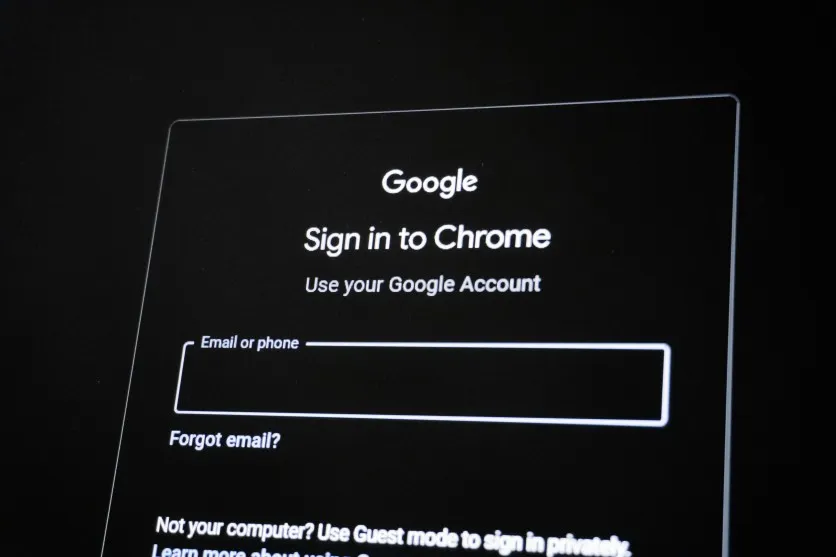
Your Google account should have a strong password that you do not use anywhere else.
Using the same password across multiple websites creates a major security risk. If another service suffers a data breach and your password is exposed, attackers may try those same credentials against your Google account.
A strong password should be:
- Long and difficult to guess
- Unique to your Google account
- Free from easily identifiable personal information
- Different from passwords used on other services
A password manager can also help you create and store unique passwords without having to remember each one manually.
Turn On Two-Step Verification
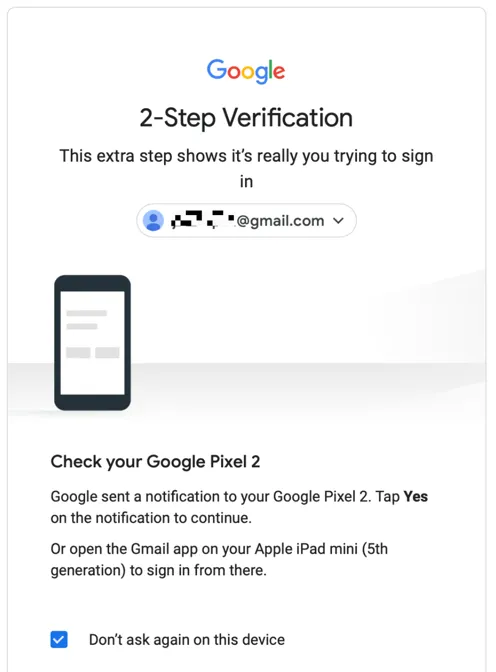
One of the most important steps you can take is enabling two-step verification.
Two-step verification adds another layer of protection to your account. Instead of relying only on a password, Google can require an additional verification method when you sign in.
This can help protect your account if your password is stolen through phishing, malware, or a data breach.
You can manage Google’s security features through your Google Account Security settings.
Consider Using a Passkey
Passkeys provide another way to sign in without relying solely on traditional passwords.
Depending on your device and account configuration, a passkey can use a device-based authentication method such as a fingerprint, facial recognition, or device PIN.
Passkeys can also help reduce the risks associated with password theft and phishing because they are designed to work with the legitimate website or service they were created for.
If passkeys are available for your Google account and devices, consider adding one as part of your security strategy.
Keep Your Recovery Information Updated
Recovery information can be extremely important if you lose access to your account.
Make sure the recovery email address and phone number associated with your Google account are current and accessible to you.
This information can help Google verify your identity and assist with account recovery.
Don’t ignore recovery settings simply because you currently have access to your account. They become especially important when something goes wrong.
Review Devices Connected to Your Account
Google allows you to review devices and sessions associated with your account.
Check this information periodically and look for devices you don’t recognize.
If you find an unfamiliar device or session, investigate it and remove access if necessary.
This is particularly important after:
- Losing a phone or computer
- Using a public or shared computer
- Changing your password
- Suspecting that someone accessed your account
Regularly reviewing account activity can help you identify suspicious access earlier.
Check Third-Party Apps and Services
Over time, you may give applications and websites permission to access parts of your Google account.
Some of these permissions may no longer be necessary.
Review the third-party applications connected to your Google account and remove access for services you no longer use or don’t recognize.
Be careful when granting new permissions. Before connecting an application to your Google account, consider whether it genuinely needs the requested access.
Be Careful With Phishing Emails
A strong password won’t help if you voluntarily give it to an attacker.
Phishing attacks often attempt to convince users that they need to sign in immediately to protect their account.
A message might claim that:
- Your account is about to be suspended
- Someone has attempted to sign in
- You need to verify your identity
- Your payment information needs to be updated
- You have received an important document
Instead of clicking the link in the message, open your browser and go directly to the official Google website or use the relevant Google application.
You can learn more about this type of attack in our article What Is Phishing? How Phishing Attacks Work.
Don’t Share Verification Codes
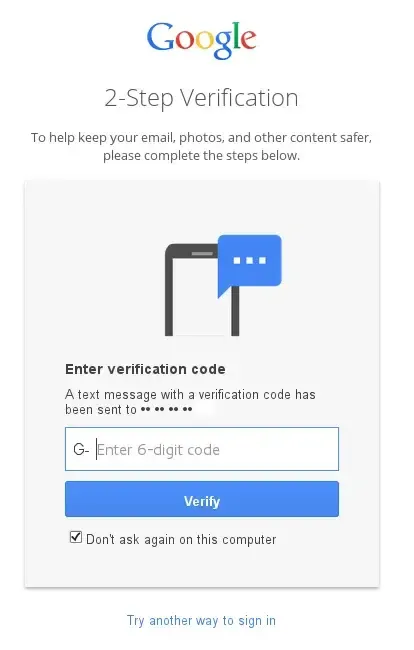
Treat Google verification codes as sensitive information.
If someone asks you to send them a verification code that was sent to your phone or authentication application, be extremely cautious.
Attackers may attempt to use stolen passwords together with verification codes to gain access to accounts.
A legitimate support representative should not need you to disclose private authentication codes simply because they claim to be helping you.
Source: SysTweak
Keep Your Devices Updated
Your Google account security also depends partly on the devices you use to access it.
Keep your operating system, web browser, mobile applications, and security software updated.
Software updates frequently include security fixes that address vulnerabilities attackers could exploit.
You should also avoid installing applications or browser extensions from untrusted sources.
Secure Your Phone
For many people, a smartphone is closely connected to their Google account.
Use a screen lock such as a strong PIN, password, fingerprint, or facial recognition where appropriate.
If your phone is lost or stolen, take action quickly to secure your accounts and device.
A properly secured device can make it much more difficult for someone who physically obtains it to access your Google account.
Review Your Google Security Settings
Google provides a Security Checkup that can help you review important security settings.
It’s worth checking your account periodically rather than waiting until you notice something suspicious.
Look for:
- Unrecognized devices
- Recent security activity
- Recovery information
- Two-step verification
- Passkeys
- Third-party access
- Saved passwords and security recommendations
A few minutes spent reviewing these settings can help identify problems before they become more serious.
What Should You Do If You Think Your Google Account Has Been Hacked?
If you believe someone has gained unauthorized access to your Google account, act quickly.
First, access your account through an official Google website or application and review recent security activity and connected devices.
If you can still sign in, change your password and make sure two-step verification is enabled.
Remove unfamiliar devices and third-party applications, and check your recovery information for unexpected changes.
You should also review your Gmail account for suspicious activity. Attackers who gain access to an email account may create forwarding rules or other settings designed to maintain access or intercept messages.
If you can no longer access your account, use Google’s official account recovery process.
Final Thoughts
Your Google account can contain a significant amount of personal and sensitive information, making it an important target for cybercriminals.
The good news is that protecting it doesn’t require complicated security knowledge.
Start with the basics: use a unique password, enable two-step verification, consider a passkey, keep your recovery information updated, review connected devices, and be cautious with unexpected messages and login requests.
Security is not a single setting that you enable once and forget. Regularly reviewing your account’s security settings can help you identify suspicious activity and keep your information better protected.
Stay Ahead With Future Tech Hub
Technology moves fast. We keep you ahead with the latest AI, technology, cybersecurity, software, and gadget news.