
Phishing is one of the most common cybersecurity threats facing internet users today. Attackers use deceptive emails, text messages, websites, social media messages, and other forms of communication to trick people into revealing sensitive information or performing an action that benefits the attacker.
Unlike some cyberattacks that rely primarily on technical vulnerabilities, phishing often targets something much simpler: human trust.
A message may appear to come from a bank, company, delivery service, colleague, or even someone you know. The attacker uses that appearance of legitimacy to convince the victim to click a link, open an attachment, provide a password, or send sensitive information.
Understanding what phishing is and recognizing its warning signs can significantly reduce the risk of becoming a victim.
What Is Phishing?
Phishing is a type of cyberattack in which criminals impersonate a trusted person, organization, or service to trick someone into providing information, clicking a malicious link, downloading malware, or transferring money.
The word “phishing” comes from the idea of using bait to lure a target.
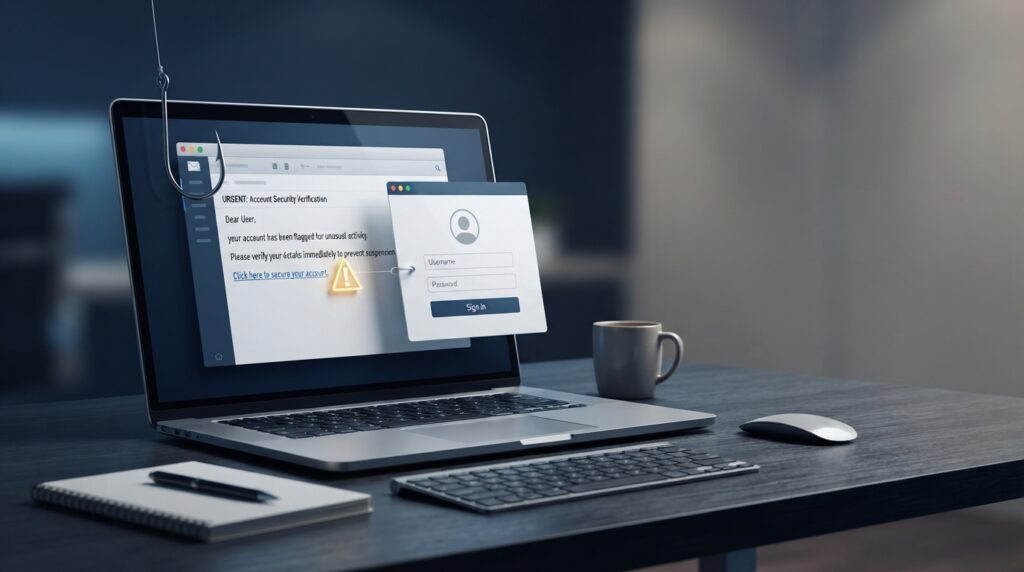
A typical phishing attack might involve an email claiming that there is a problem with your account. The message may instruct you to click a link and sign in immediately.
The link could lead to a fake website designed to look almost identical to the real service. If the victim enters their username and password, the attacker may receive those credentials.
The attack can then be used to gain access to accounts, steal information, commit fraud, or launch additional attacks.
How Does Phishing Work?
Phishing attacks usually follow a relatively simple process.
1. The Attacker Creates a Deceptive Message
The attacker first creates a message designed to look legitimate.
It could appear to come from:
- A bank
- Microsoft or another technology company
- A delivery company
- A social media platform
- A workplace
- A government organization
- An online shopping service
- A friend or colleague
Attackers often copy logos, colors, writing styles, and layouts associated with legitimate organizations to make their messages more convincing.
2. The Victim Receives the Message
The message may arrive through email, SMS, social media, messaging applications, or another communication channel.
Attackers often create a sense of urgency.
For example, a message might claim:
“Your account will be suspended today unless you verify your information.”
The goal is to make the recipient react quickly instead of carefully examining the message.

3. The Victim Is Asked to Take an Action
The attacker may ask the victim to:
- Click a link
- Sign in to an account
- Download a file
- Open an attachment
- Provide personal information
- Enter payment details
- Send money
- Share a verification code
The requested action depends on what the attacker is trying to accomplish.
4. The Attacker Uses the Information or Access
If the victim provides sensitive information, the attacker can potentially use it to access accounts or carry out other criminal activities.
For example, stolen credentials could be used to access an email account. From there, an attacker might attempt to reset passwords for other services connected to that email address.
If you entered a password into a suspicious website, change that password immediately through the legitimate service. Stolen credentials can also become valuable in attacks involving Chrome session hijacking, where attackers attempt to gain access to authenticated browser sessions.
This is one reason why phishing can become more serious than a single compromised account.
Common Types of Phishing
Phishing isn’t limited to email. Attackers use several different methods to reach their targets.
Email Phishing
Email phishing is one of the most familiar forms of phishing.
Attackers send messages that appear to come from legitimate organizations and attempt to convince recipients to click a link, download a file, or provide information.
These campaigns are often sent to large numbers of people, hoping that at least some recipients will respond.
Spear Phishing
Spear phishing is a more targeted form of phishing.
Instead of sending the same message to thousands of people, attackers research a specific person or organization and create a message tailored to the target.
For example, an attacker might impersonate a manager and send an employee a message requesting sensitive information.
Because the message contains personal or organizational details, it can be much more convincing than a generic phishing email.
Smishing
Smishing is phishing conducted through SMS or text messages.
A victim might receive a message claiming that a package could not be delivered or that an account requires verification.
The message typically includes a link that attempts to direct the recipient to a fraudulent website.
Vishing
Vishing, or voice phishing, uses phone calls or voice communication.
An attacker may pretend to be a bank representative, technical support employee, government official, or another trusted person.
The attacker may attempt to persuade the victim to reveal passwords, verification codes, financial information, or other sensitive data.
Business Email Compromise
Business email compromise attacks target organizations and employees.
An attacker may impersonate an executive, supplier, or business partner and request a payment or sensitive information.
These attacks can cause significant financial losses because the request may appear to come from someone the employee normally trusts.
How to Recognize a Phishing Attack
Phishing messages are becoming increasingly convincing, but there are still warning signs that can help identify them.
Unexpected Urgency
Be suspicious of messages that pressure you to act immediately.
Examples include claims that your account will be deleted, your payment will fail, or your access will be suspended unless you take action immediately.
Urgency is frequently used because it discourages people from stopping to verify the request.
Suspicious Links
Before clicking a link, check where it actually leads.
A message may display text such as:
“Verify your account”
But the underlying link could lead to a completely different website.
On a computer, you can often hover over a link to see its destination without opening it.
Requests for Sensitive Information
Be particularly careful when a message unexpectedly asks for:
- Passwords
- Credit card information
- Banking details
- Security codes
- Identity documents
- Account recovery information
Legitimate organizations generally have established processes for handling sensitive information and may not ask for passwords or authentication codes through ordinary messages.
Unusual Sender Addresses
Look carefully at the sender’s email address.
An attacker may use an address that looks similar to a legitimate company but contains a different domain or subtle spelling changes.
The display name alone is not enough to verify who sent the message.
Unexpected Attachments
Unexpected email attachments should be treated carefully.
Malicious attachments can potentially contain malware or lead users to fraudulent websites.
If you weren’t expecting a file, verify it through another trusted communication method before opening it.
How to Protect Yourself From Phishing
Good security habits can make phishing attacks much harder to succeed.
Think Before You Click
Don’t automatically click links in unexpected messages.
If a message claims that you need to access an account, open your browser or the official application yourself and navigate to the service directly.
This avoids relying on a potentially malicious link.
Use Multi-Factor Authentication
Multi-factor authentication (MFA) adds another layer of protection to accounts.
Even if an attacker manages to steal a password through phishing, additional authentication requirements can make it more difficult to access the account.
However, MFA isn’t a guarantee of safety. Attackers have developed techniques designed to trick users into approving fraudulent authentication requests, so unexpected login prompts should still be treated carefully.
Use Strong, Unique Passwords
Avoid using the same password across multiple services.
If attackers obtain a password from one compromised account and that password is reused elsewhere, they may attempt to access those other accounts as well.
A password manager can help users create and store unique passwords for different services.
Keep Software Updated
Operating systems, browsers, applications, and security software should be kept up to date.
Updates often include security fixes that address vulnerabilities attackers could otherwise exploit.
Verify Requests Through Another Channel
If someone sends you an unusual request involving money, passwords, sensitive information, or account access, verify it independently.
For example, if an email appears to come from a colleague requesting an urgent payment, contact that person through a known phone number or another trusted method.
Don’t use the contact information provided in the suspicious message itself.
What Should You Do If You Clicked a Phishing Link?
Accidentally clicking a phishing link does not always mean your account has been compromised, but you should act quickly.
If you entered a password into a suspicious website, change that password immediately through the legitimate service.
If you reused the same password on other accounts, change it there as well.
If you provided financial information, contact your bank or financial institution using an official phone number or website.
You should also enable multi-factor authentication where available and monitor affected accounts for unusual activity.
If you downloaded a suspicious file, avoid opening it and consider running a security scan with trusted security software.
For workplace accounts or devices, report the incident to your organization’s IT or security team as soon as possible.
Why Is Phishing Still So Effective?
One reason phishing remains a major cybersecurity problem is that attackers do not always need to defeat sophisticated security systems.
They can instead attempt to convince a person to bypass those protections themselves.
Social engineering techniques can exploit emotions such as fear, urgency, curiosity, or trust.
Modern artificial intelligence is also making it easier for attackers to create convincing messages. AI can help criminals produce more natural-looking text, personalize messages, and potentially automate parts of phishing campaigns.
This makes awareness and careful verification increasingly important.
Final Thoughts
Phishing is a simple concept, but it remains one of the most effective methods cybercriminals use to target individuals and organizations.
The best defense is not simply knowing what phishing looks like. It is developing the habit of stopping, checking, and verifying before taking action.
Don’t click unexpected links simply because a message looks official. Don’t provide passwords or security codes because someone creates a sense of urgency. And when a request seems unusual, verify it through a trusted channel.
Cybersecurity technology continues to improve, but informed users remain an important part of the defense.
Stay Ahead With Future Tech Hub
Technology moves fast. We keep you ahead with the latest AI, technology, cybersecurity, software, and gadget news.