
You probably use cloud computing every day without thinking about it.
When you store photos online, stream a movie, check your email from your phone, use Google Drive, join a video meeting, or access a business application through a browser, there is a good chance cloud computing is working behind the scenes.
The cloud has changed the way individuals and businesses use technology. Instead of buying and maintaining all the computers, storage systems, and networking equipment needed to run an application, users can access computing resources through the internet.
But what exactly is cloud computing, and what happens behind the scenes when you use it?

What Is Cloud Computing?
Cloud computing is the delivery of computing resources and services over the internet.
These resources can include computing power, storage, databases, networking, software, analytics, and other technology services. Instead of owning and maintaining all of the underlying hardware, users can access resources provided by a cloud service provider.
The word “cloud” can make the technology sound mysterious, but the basic idea is relatively simple.
Rather than running everything on your own physical computer or server, some of the work can be performed on computers located in data centers and accessed through the internet.
For example, when you upload a photo to a cloud storage service, the file is transferred from your device to servers operated by the service provider. You can then access that file from another device because the data is stored remotely rather than only on your original computer.
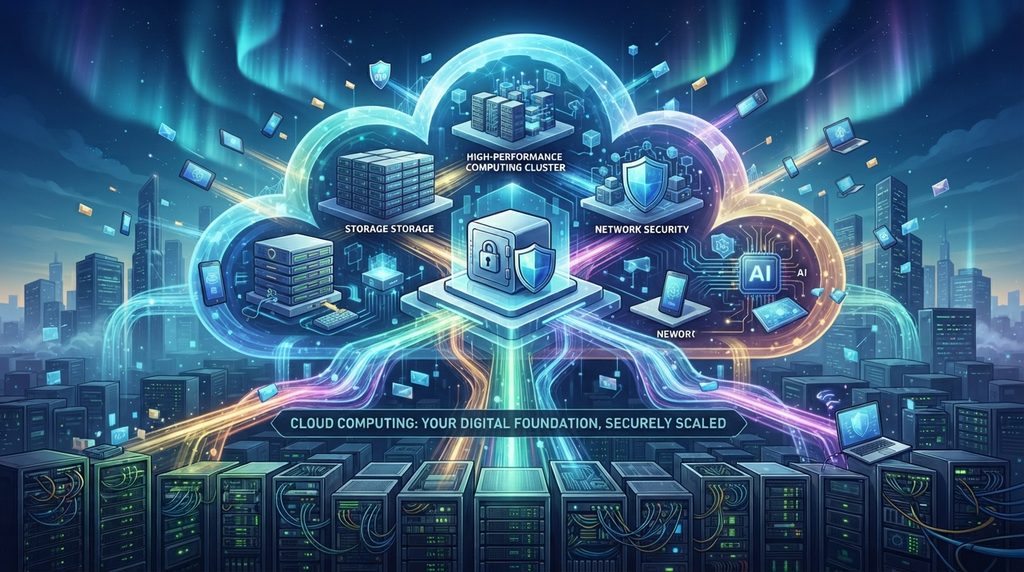
The cloud is therefore not a magical place on the internet. It is a massive collection of physical servers, storage systems, networking equipment, and software located in data centers around the world.
How Does Cloud Computing Work?
Cloud computing depends on large data centers containing physical computing infrastructure.
Cloud providers operate these facilities and use virtualization, networking, automation, and other technologies to provide computing resources to customers.
A simplified cloud environment works like this:
Your device → Internet → Cloud provider → Computing resources
When you use a cloud-based service, your device communicates with the provider’s infrastructure over the internet.
Depending on the service, the cloud provider may handle everything from the physical servers and networking equipment to the operating system, application software, security controls, and maintenance.
This is one of the biggest advantages of cloud computing.
Users do not necessarily need to know where the physical server is located or how it is maintained. They simply access the service they need.
The Cloud Still Uses Physical Hardware
One common misconception is that cloud computing eliminates physical computers.
It does not.
Cloud services ultimately depend on physical infrastructure.
Data centers contain thousands of servers, storage systems, networking equipment, power systems, cooling systems, and security mechanisms. These facilities are designed to operate continuously and support large numbers of customers.
Cloud computing changes who owns and manages the infrastructure and how users access it.
Instead of a company purchasing dozens of physical servers and maintaining them in its own facility, it can rent computing resources from a cloud provider.
This can reduce the need for large upfront hardware investments and allow organizations to adjust their resources as their requirements change.
What Are the Main Types of Cloud Computing?
Cloud computing is often discussed in terms of both service models and deployment models.
The three major cloud service models are:
- Software as a Service (SaaS)
- Platform as a Service (PaaS)
- Infrastructure as a Service (IaaS)
These models provide different levels of control and responsibility.
Software as a Service
Software as a Service (SaaS) provides complete software applications through the internet.
Users typically access SaaS applications through a web browser or dedicated application without having to manage the underlying infrastructure.
Email platforms, online collaboration tools, customer relationship management systems, and many productivity applications are examples of SaaS.
If you want to understand this model in more detail, SaaS Explained: What Software as a Service Means explores how SaaS works, its benefits, limitations, and common examples.
Platform as a Service
Platform as a Service (PaaS) provides developers with an environment for building, testing, and deploying applications.
Instead of managing every part of the underlying infrastructure, developers can use cloud-based development tools, databases, runtime environments, and other services provided by the platform.
PaaS can allow development teams to focus more on building applications and less on maintaining servers and infrastructure.
Infrastructure as a Service
Infrastructure as a Service (IaaS) provides fundamental computing resources such as virtual machines, storage, and networking.
Organizations have more control over their environments but also take responsibility for managing more of the technology stack.
The differences between these models are explained in greater detail in SaaS vs PaaS vs IaaS: Understanding the Differences.
Public, Private, and Hybrid Clouds
Cloud computing can also be classified according to how infrastructure is deployed.
Public Cloud
A public cloud is operated by a cloud service provider and delivers resources to multiple customers.
Organizations can rent computing resources without owning the physical infrastructure themselves.
Public cloud services are widely used because they can provide flexibility, scalability, and access to sophisticated infrastructure without requiring organizations to build their own data centers.
Private Cloud
A private cloud is designed for use by a single organization.
The infrastructure may be operated by the organization itself or by a third-party provider.
Private cloud environments can provide greater control over infrastructure and configurations, which can be important for organizations with specific security, compliance, or operational requirements.
Hybrid Cloud
A hybrid cloud combines private infrastructure with public cloud services.
An organization might keep certain workloads or sensitive information in a private environment while using public cloud infrastructure for other applications.
This approach can provide flexibility, although managing multiple environments can also introduce additional complexity.

Why Do Businesses Use Cloud Computing?
Cloud computing can give organizations greater flexibility when deploying and scaling technology. Microsoft Azure describes cloud computing as the delivery of computing services over the internet, allowing organizations to access resources without managing all of the underlying physical infrastructure themselves.
Cloud computing has become popular because it can solve several problems associated with traditional IT infrastructure.
Lower Upfront Costs
Traditional infrastructure often requires significant investment in servers, storage, networking equipment, data center facilities, and maintenance.
Cloud computing can replace some of these upfront costs with ongoing service expenses.
Instead of purchasing a server that may sit underused for years, a business can provision computing resources when they are needed.
Scalability
One of the biggest advantages of cloud computing is scalability.
A website that normally receives a few thousand visitors might suddenly receive millions because of a major event or viral story.
With traditional infrastructure, handling that increase may require purchasing additional hardware.
Cloud platforms can allow organizations to increase computing resources much more quickly.
When demand falls, resources can also be reduced.
Flexibility
Cloud computing allows organizations to access infrastructure and software without necessarily building everything themselves.
A small company can use many of the same types of cloud services available to much larger organizations.
This can lower the technical barrier to launching applications and digital services.
Global Availability
Large cloud providers operate infrastructure in multiple geographic regions.
This can allow businesses to deploy applications closer to their users and potentially improve performance and availability.
It can also provide additional options for disaster recovery and business continuity.
Faster Deployment
Traditional hardware deployment can take days, weeks, or even longer depending on the infrastructure involved.
Cloud resources can often be provisioned much faster.
A developer may be able to create a new virtual server or database in minutes instead of waiting for physical hardware to be purchased, delivered, installed, and configured.
What Are the Disadvantages of Cloud Computing?
Cloud computing is powerful, but it is not automatically better in every situation.
Internet Dependence
Many cloud services require an internet connection.
If your internet connection is unavailable or unreliable, access to cloud applications may be affected.
Some services provide offline capabilities, but the level of functionality can vary.
Security Risks
Moving data and applications to the cloud introduces security considerations.
Organizations must carefully manage accounts, permissions, authentication, encryption, configurations, and data access.
A poorly configured cloud environment can expose sensitive information.
Using strong authentication is therefore important. Two-factor authentication can provide an additional layer of protection for accounts that access cloud services.
Vendor Lock-In
Organizations can become heavily dependent on a particular cloud provider.
Moving applications and data between providers may be difficult if systems rely heavily on provider-specific technologies.
Before committing to a cloud platform, organizations should consider how portable their applications and data will be.
Unexpected Costs
Cloud services can reduce hardware expenses, but cloud bills can become complicated.
Resources that are provisioned but rarely used can continue generating costs. Data transfer, storage, computing resources, and additional services can all contribute to a monthly bill.
Good cloud management therefore requires monitoring and cost controls.
Outages Can Affect Many Users
Even major cloud providers can experience service disruptions.
When an important cloud service becomes unavailable, many applications and organizations may be affected at the same time.
For critical systems, businesses should consider redundancy and disaster recovery strategies rather than assuming the cloud guarantees perfect availability.
Is Cloud Computing Secure?
Cloud computing can be highly secure, but security is a shared responsibility.
Cloud providers are responsible for securing aspects of the infrastructure they operate. Customers are generally responsible for securing the resources, accounts, applications, and data they control.
The exact division of responsibility depends on the service being used.
Using two-factor authentication can provide an additional layer of protection for accounts that access cloud services.
For example, a SaaS provider may manage almost the entire underlying technology stack, while an organization using IaaS may be responsible for configuring operating systems, applications, access controls, and other components.
Common cloud security measures include:
- Strong authentication
- Access controls
- Encryption
- Network security
- Security monitoring
- Regular software updates
- Backup and recovery systems
- Logging and auditing
- Least-privilege access
Security therefore depends not only on the cloud provider but also on how customers configure and use the services.
Cloud Computing and Cybersecurity
As organizations move more applications and data into cloud environments, cybersecurity becomes increasingly important.
A compromised cloud account can potentially provide access to sensitive files, applications, databases, or business systems.
Attackers may attempt to steal passwords through phishing, exploit weak authentication, abuse excessive permissions, or take advantage of misconfigured cloud resources.
Organizations should therefore treat cloud security as part of their overall cybersecurity strategy.
Strong identity management is particularly important because access to cloud resources is often controlled through user accounts and permissions.
Cloud Computing and Artificial Intelligence
Cloud computing has also become an important foundation for artificial intelligence.
Modern AI systems can require enormous amounts of computing power, storage, and specialized hardware.
Building this infrastructure entirely in-house can be expensive and difficult.
Cloud platforms allow organizations to access computing resources for AI development and deployment without necessarily purchasing and maintaining all of the hardware themselves.
Cloud infrastructure can support activities such as:
- Training machine learning models
- Processing large datasets
- Running AI applications
- Hosting generative AI systems
- Analyzing large amounts of information
- Deploying AI-powered software
Machine learning is particularly well suited to cloud environments because training and running models can require significant computing resources.
At the same time, organizations must consider how sensitive information is handled when AI systems operate in the cloud.
Cloud Computing vs Traditional IT
Traditional IT infrastructure generally requires an organization to purchase, operate, and maintain its own hardware and software.
That can include:
- Physical servers
- Storage systems
- Networking equipment
- Backup systems
- Data center facilities
- Cooling
- Power infrastructure
- Operating systems
- Security systems
Cloud computing shifts much of this infrastructure management to a service provider.
This does not mean traditional infrastructure has disappeared.
Many organizations use a combination of on-premises infrastructure and cloud services based on their technical, financial, regulatory, and operational requirements.
The important difference is where computing resources are hosted, who manages them, and how they are consumed.
What Is Cloud Storage?
Cloud storage is one of the easiest ways to understand cloud computing.
Instead of storing a file only on your computer or phone, you can upload it to a remote storage system operated by a cloud provider.
The file can then potentially be accessed from multiple devices.
Cloud storage can provide useful features such as:
- Automatic synchronization
- Remote access
- File sharing
- Backup
- Collaboration
- Version history
However, cloud storage should not automatically be considered a complete backup strategy.
If a file is accidentally deleted or overwritten, the recovery options depend on the service and its retention policies.
For important information, maintaining appropriate backups remains essential.
Is Cloud Computing the Same as the Internet?
No.
The internet is the global network that connects computers and other devices.
Cloud computing is a way of delivering computing resources and services over networks, particularly the internet.
The internet provides the connectivity.
Cloud computing provides services and infrastructure that users can access through that connectivity.
The two are closely connected, but they are not the same thing.
Where Is Cloud Computing Used?
Cloud computing is now used across almost every major area of technology.
Entertainment
Streaming platforms can use cloud infrastructure to deliver video, music, and other content to millions of users.
Business
Companies use cloud platforms for email, collaboration, accounting, customer management, analytics, and internal applications.
Education
Schools and universities can use cloud services for online learning platforms, file storage, collaboration, and remote access to software.
Healthcare
Healthcare organizations can use cloud technologies for applications, data processing, collaboration, and other digital services, subject to applicable security and regulatory requirements.
Software Development
Developers use cloud infrastructure to build, test, deploy, and monitor applications.
Artificial Intelligence
AI companies and research organizations use cloud computing to access large-scale computing resources for model development and deployment.
What Happens When You Upload a File to the Cloud?
Consider a simple example.
You take a photograph with your smartphone and upload it to a cloud storage service.
First, your phone sends the file through an internet connection.
The cloud service receives the data and stores it on its infrastructure.
Depending on the provider, the file may be replicated across multiple storage systems or locations for reliability.
When you open the same account on another device, the service retrieves the file and sends the necessary data back to your device.
To you, the entire process may feel almost instantaneous.
Behind the scenes, however, it involves networking, authentication, storage systems, software, databases, and physical data center infrastructure.
That is cloud computing in action.
What Does the Future of Cloud Computing Look Like?
Cloud computing is becoming increasingly integrated with other areas of technology.
Artificial intelligence, machine learning, cybersecurity, edge computing, automation, and data analytics are all influencing how cloud infrastructure is developed and used.
One important trend is the growing use of specialized infrastructure.
AI workloads, for example, can require specialized processors and enormous amounts of computing power.
Cloud providers are investing heavily in infrastructure designed to support these workloads.
At the same time, organizations are becoming more focused on controlling costs, improving security, reducing complexity, and choosing the right balance between cloud and traditional infrastructure.
The future is therefore unlikely to be simply “everything moves to the cloud.”
Instead, organizations will continue choosing different combinations of public cloud, private infrastructure, edge computing, and specialized services depending on their needs.
Is Cloud Computing Worth It?
For many individuals and organizations, cloud computing provides significant advantages.
It can make computing resources easier to access, reduce the need for physical infrastructure, support rapid scaling, and make sophisticated technology available without requiring organizations to build everything themselves.
But the cloud is not automatically the right solution for every workload.
Cost, security, performance, compliance, reliability, data ownership, and technical requirements should all be considered before moving an application or dataset to a cloud environment.
The best approach is not to use the cloud simply because it is popular.
It is to understand what the cloud provides and determine where it genuinely makes sense.
Stay Ahead With Future Tech Hub
Technology moves fast. We keep you ahead with the latest AI, technology, cybersecurity, software, and gadget news.