
Cloudflare Agent Tracing is a new observability feature from Cloudflare designed to help developers understand what their AI agents are doing behind the scenes.
The technology company says the feature is the first component of its broader Cloudflare Agents platform. It builds on tracing already available for Cloudflare Workers and adds information specifically related to AI-agent activity.
As AI agents become more capable, they are increasingly able to make decisions, call external tools, access databases, and delegate tasks to other agents. That flexibility also makes them more difficult to debug when something goes wrong.
An application can return a successful response while an AI agent makes the wrong tool selection, uses outdated information, or repeatedly calls a model. Traditional application monitoring may show that a request succeeded, but it may not explain what caused the agent to behave that way.
Cloudflare Agent Tracing is designed to provide developers with that missing visibility.
What Is Cloudflare Agent Tracing?
Cloudflare Agent Tracing allows developers to inspect individual operations performed by an AI agent.
Instead of seeing only infrastructure activity, developers can gain visibility into events such as:
- AI agent invocations
- Model calls
- Tool execution
- Tool approval events
- Token usage
- Subagent activity
- Conversation identifiers
Cloudflare’s existing Workers tracing already provides visibility into infrastructure operations such as network requests, KV operations, and D1 database activity.
Agent Tracing adds an AI-specific layer around those operations.
For developers, this can make it easier to answer a critical question: What did the AI agent actually do before producing its result?
How Cloudflare Agent Tracing Connects AI Operations
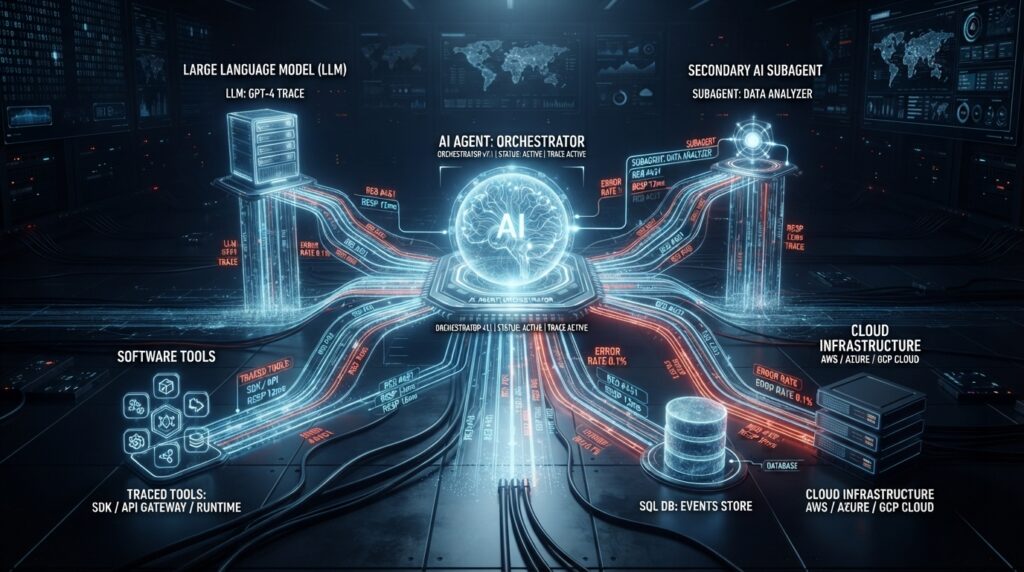
One of the most useful aspects of the new feature is its ability to connect different parts of an agent workflow into a single trace.
For example, an AI agent could receive a request, call a language model, decide to use a tool, receive an approval, and then perform an operation involving a database.
Instead of investigating each event separately, developers can see the sequence as part of the same operation.
Subagents can also appear within the larger trace. A primary agent might delegate a task to another agent, which then calls a model or interacts with external services.
Cloudflare identifies traces using information such as the agent name, agent ID, and conversation ID.
This gives development teams a way to distinguish different agent implementations, instances, and conversations when investigating problems.
Cloudflare also recommends keeping agent names tied to the logical implementation rather than dynamically generating names from user or request identifiers. This can help prevent unnecessary duplication in the Agents dashboard.
Session Replay Adds More Context
Cloudflare is also introducing session replay capabilities alongside Agent Tracing.
The replay functionality can reconstruct recorded agent conversations across multiple turns. Depending on the configuration, developers can inspect messages, tool calls, tool arguments, results, reasoning information, and activity involving subagents.
However, Cloudflare makes an important distinction: the replay is based on recorded information. It does not execute the AI agent again to reproduce the original interaction.
This makes session replay useful for debugging and investigation, but it should not automatically be treated as a perfect historical record of every action.
Privacy and Payload Recording Need Attention
AI observability can provide valuable information, but it also creates privacy considerations for organizations deploying agents in production.
AI systems can process customer conversations, internal instructions, business information, tool arguments, and other potentially sensitive data.
Cloudflare’s different agent frameworks do not necessarily use identical payload-recording defaults.
With Think, for example, developers can configure whether message and tool payloads are stored. The wrapAISDK() approach follows similar behavior.
Flue has different recording defaults and can store information such as messages, system instructions, tool definitions, arguments, and results. Developers can disable content recording using the appropriate configuration.
This difference is important because teams should understand exactly what information is being captured before enabling detailed tracing.
Organizations handling personal or confidential information should review their recording settings as part of their broader security and privacy strategy.
Agent Traces Can Be Truncated
Cloudflare also warns that traces are not intended to be a completely lossless record of every piece of information processed by an agent.
Large messages, reasoning content, tool arguments, and tool results can be affected by span-size limitations and may be truncated.
Session replay also currently has limitations, including the inability to display images.
For this reason, developers should be careful about treating Agent Tracing as a formal audit system.
For debugging an unexpected AI response or investigating why an agent selected a particular tool, however, the additional visibility can still be valuable.
Human Approval Workflows Have a Limitation
AI agents are increasingly being designed with human approval steps for sensitive or important actions.
Cloudflare Agent Tracing includes approval-related spans, but there is an important limitation.
Cloudflare explains that these events represent lifecycle activity during a Worker invocation. They do not necessarily measure the complete amount of time a human spends waiting before responding when the interaction continues across separate invocations.
Teams that rely heavily on human-in-the-loop workflows may therefore need additional tracking to measure human response times accurately.

How Developers Can Integrate Agent Tracing
The setup process depends on the technology used to build an AI agent.
Cloudflare says Think and Flue version 2 or later can automatically instrument agent turns.
Developers working directly with the AI SDK can use Cloudflare’s wrapAISDK() approach. It supports AI SDK versions 6 and 7, while identity information needs to be provided for each call because there is no Agent instance available to provide it automatically.
Developers using custom agent implementations can use the Workers custom spans API and follow OpenTelemetry’s Generative AI reference implementations.
Cloudflare is also working toward broader OpenTelemetry API support.
That could make integration easier for developers using frameworks that already generate standard OpenTelemetry telemetry.
Cloudflare says Agent Tracing follows OpenTelemetry’s Generative AI semantic conventions, and traces can be exported to OTLP-compatible endpoints.
Cloudflare Agent Tracing Moves to Paid Pricing
Agent Tracing is currently available for free during its beta period.
Cloudflare says that beginning October 1, 2026, the feature will fall under Workers Observability pricing.
The pricing model is based on observability events rather than simply the number of traces displayed in the Agents dashboard.
Each span can count as an event, including spans generated by SDK internals and other Worker operations.
According to Cloudflare’s announced pricing details, the Workers Free plan includes 200,000 observability events per day with three-day retention.
Workers Paid includes 20 million events per month with seven-day retention, while additional usage costs $0.60 per million events.
Developers running heavily instrumented AI applications will therefore need to keep an eye on observability usage as their workloads grow.
Why AI Agent Observability Matters
The arrival of Cloudflare Agent Tracing reflects a broader shift in the AI industry.
Traditional software generally follows instructions explicitly defined by developers. AI agents can interpret requests, choose tools, interact with external systems, and sometimes delegate tasks to other agents.
That flexibility creates new debugging challenges.
When something goes wrong, developers need more information than simply knowing whether an API request succeeded. They need to understand which model was called, which tool was selected, what information was passed between components, and how the agent’s workflow progressed.
This is where AI-specific observability becomes increasingly important.
Cloudflare Agent Tracing gives developers a way to connect those individual pieces and investigate the behavior of an AI system more effectively.
What Cloudflare Agent Tracing Means for Developers
Cloudflare Agent Tracing gives developers deeper visibility into AI agents running on the Cloudflare platform.
The feature does not eliminate the challenges of debugging autonomous AI systems, and its recording limitations mean it should not automatically be considered a complete audit solution.
However, connecting agent operations, model calls, tools, subagents, and infrastructure activity in a single trace could make troubleshooting considerably easier.
As AI agents move from experimental projects into production software, developers will need better ways to understand not only the answers their systems produce, but also the processes that produced them.
Cloudflare’s latest release is another sign that AI observability is becoming an important part of the modern software development stack.
For developers building AI-powered applications on Cloudflare, Agent Tracing could provide a valuable new window into what happens inside their agents when everything doesn’t go according to plan.
Sources
- Cloudflare — Official Cloudflare documentation and announcements regarding Agent Tracing and Cloudflare Agents.
- InfoQ — “Cloudflare Adds Agent Tracing, with Truncation Limits and Uneven Payload Defaults”
https://www.infoq.com/news/2026/08/cloudflare-agent-tracing/
This Future Tech Hub article is independently written and organized using publicly available information from the sources above.