
Ransomware is one of the most disruptive forms of malware facing individuals, businesses, and organizations today. A successful attack can prevent users from accessing important files, disrupt business operations, and potentially expose sensitive information.
Although ransomware attacks can be technically sophisticated, understanding how they work can make it easier to recognize warning signs and take steps to reduce the risk.
What Is Ransomware?
Ransomware is a type of malicious software designed to prevent victims from accessing their files or systems. Attackers typically demand payment in exchange for restoring access or, in some cases, promising not to publish stolen information.
Modern ransomware attacks can involve more than simply encrypting files. Attackers may first steal sensitive information and then threaten to publish it if the victim refuses to pay.
This approach is sometimes called double extortion.
How Does Ransomware Work?
A ransomware attack usually involves several stages.
1. Initial Access
Attackers first need a way into the victim’s computer or network. Common methods include phishing emails, malicious downloads, compromised accounts, vulnerable software, and exposed remote-access services.
Phishing remains particularly dangerous because an attacker may trick someone into opening a malicious attachment, clicking a harmful link, or providing login credentials.
If you suspect malicious software has already reached your Windows computer, follow our guide on removing malware from Windows.
2. Malware Execution
Once attackers gain access, malicious software can be executed on the compromised device.
Depending on the attack, the malware may attempt to disable security tools, establish persistence, or gain additional privileges.
3. Network Expansion
In larger attacks, criminals may attempt to move from one compromised computer to other systems on the same network.
This can allow ransomware to affect multiple devices, servers, and shared storage locations rather than a single computer.
4. Data Encryption
The ransomware may then encrypt files, making them inaccessible without the appropriate decryption key.
Documents, images, databases, backups, and other important files can potentially be targeted.
A victim may suddenly find that files have unfamiliar extensions or can no longer be opened.
5. Ransom Demand
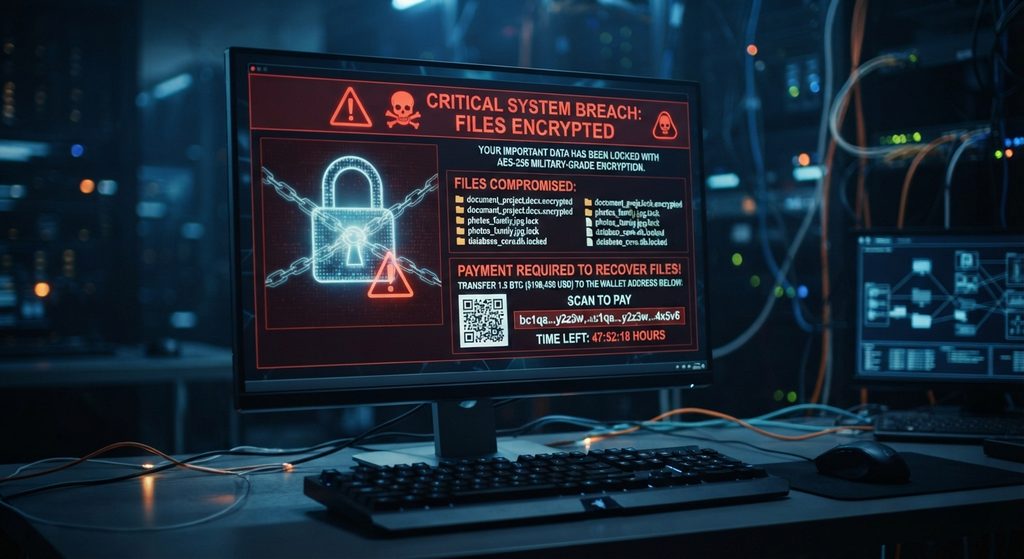
After encryption, attackers typically display a ransom note explaining what happened and demanding payment.
The note may include instructions for contacting the attackers and information about the amount demanded.
However, paying the ransom does not guarantee that files will be recovered.
How Ransomware Spreads
Ransomware can reach victims through several different attack methods.
Phishing Attacks
Attackers may send convincing emails that appear to come from legitimate organizations. These messages can contain malicious links or attachments.
Vulnerable Software
Unpatched operating systems and applications can contain security vulnerabilities that attackers may exploit.
Stolen Credentials
If attackers obtain usernames and passwords, they may be able to access systems without needing to exploit a technical vulnerability.
Malicious Downloads
Downloading pirated software, unofficial applications, or files from untrusted websites can increase the risk of malware infection.
Remote Access
Poorly secured remote-access systems can provide attackers with another path into an organization.
Why Ransomware Is So Dangerous
The impact of ransomware can extend far beyond losing access to a few files.
For businesses, an attack can interrupt critical operations, prevent employees from accessing systems, and potentially result in financial losses.
Organizations may also face data breaches if attackers steal information before encrypting systems.
For individuals, losing access to personal photographs, documents, schoolwork, or other important files can be extremely frustrating.
The consequences become even more serious when there is no reliable backup available.

Signs of a Ransomware Attack
Ransomware doesn’t always look the same, but some warning signs can include:
- Files suddenly becoming inaccessible
- Unusual file extensions appearing
- A ransom note appearing on the desktop
- Security software being disabled unexpectedly
- Unusual network activity
- Computers becoming unusually slow
- Unexpected administrator activity
- Large numbers of files being modified at once
If several of these signs appear suddenly, disconnecting the affected device from the network can help prevent potential spread while the incident is investigated.
How to Protect Against Ransomware
There is no single security measure that can eliminate ransomware risk. Instead, protection should involve several layers.
Keep Software Updated
Install security updates for Windows, browsers, applications, and other software. Updates frequently address vulnerabilities that attackers could otherwise exploit.
Use Strong, Unique Passwords
Avoid reusing passwords between important accounts. A password manager can make it easier to maintain unique credentials.
Enable Multi-Factor Authentication
Multi-factor authentication adds another layer of protection if a password is stolen.
Be Careful With Email Attachments
Don’t automatically open unexpected attachments or click links simply because an email looks legitimate.
Maintain Reliable Backups
Backups are one of the most important defenses against ransomware.
Keep multiple copies of important data and, where possible, maintain at least one backup that isn’t continuously connected to the computer or network.
Use Security Software
Modern operating systems include built-in security protections, while businesses may use additional endpoint security and monitoring tools.
Make sure security tools remain enabled and updated.
The U.S. Cybersecurity and Infrastructure Security Agency (CISA) recommends maintaining offline backups and following a layered approach to protect against ransomware attacks. You can read its official ransomware guidance for additional security recommendations.
Should You Pay a Ransom?
Paying a ransom is a complicated decision and does not guarantee that attackers will provide working decryption tools or delete stolen data.
It can also encourage further criminal activity.
Organizations dealing with ransomware should involve appropriate cybersecurity professionals, legal teams, and relevant authorities before making major decisions.
The priority should be containing the incident, protecting remaining systems, determining what happened, and recovering safely from trusted backups where possible.
Ransomware and the Future of Cybersecurity
Ransomware continues to evolve as attackers develop new techniques and target increasingly valuable systems.
Businesses are particularly attractive targets because a successful attack can disrupt entire operations.
Artificial intelligence is also changing the cybersecurity landscape. Attackers can potentially use AI to improve phishing messages, automate parts of their operations, or identify targets more efficiently, while defenders are using AI to detect suspicious activity and respond to threats.
This makes layered security, employee awareness, strong authentication, and reliable backups increasingly important.
Stay Ahead With Future Tech Hub
Technology moves fast. We keep you ahead with the latest AI, technology, cybersecurity, software, and gadget news.