
Your email account is one of the most important accounts you have online. It can contain personal conversations, sensitive information, account notifications, and links to reset passwords for other services.
If you suspect you have a hacked email account, someone may be able to use it to access other accounts connected to your email. That’s why recognizing the signs of a compromised account and acting quickly is important.
The good news is that there are several warning signs you can look for.
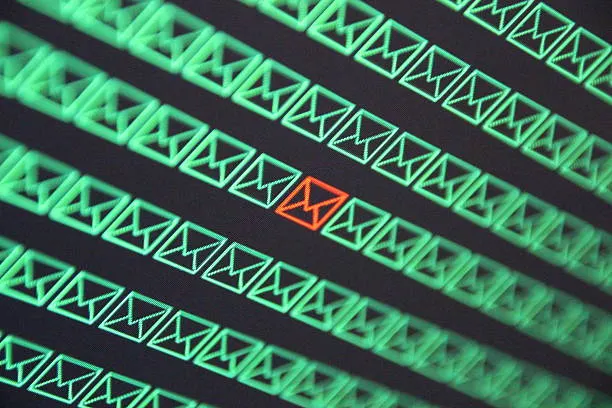
Hacked Email Account: Signs to Watch For
Unexpected Password Changes
One of the clearest warning signs is receiving a notification that your email password was changed when you didn’t make the change.
If you can still access your account, change the password immediately and review your account’s security settings.
If you can no longer sign in, use your email provider’s official account recovery process. Avoid clicking recovery links from suspicious messages.
Unfamiliar Login Activity
Most major email providers allow you to review recent login activity or devices connected to your account.
Look for unfamiliar locations, devices, browsers, or login times.
An unfamiliar location doesn’t always mean someone hacked your account. Mobile connections and VPNs can sometimes make the location appear different from where you actually are. However, an unfamiliar device combined with other suspicious activity deserves attention.
Emails You Didn’t Send
Check your Sent folder for messages you don’t remember sending.
Attackers who gain access to an email account may use it to send phishing messages to contacts, spread malicious links, or attempt to compromise additional accounts.
You should also check your email forwarding and filter settings. An attacker may create rules that automatically forward incoming messages or hide security notifications.
Password Reset Emails You Didn’t Request
Receiving unexpected password-reset emails can be a warning sign that someone is attempting to access your accounts.
A single password-reset message doesn’t necessarily mean your email was hacked. Someone could simply have entered your email address by mistake.
However, repeated password-reset attempts across different services could indicate that someone is trying to take control of your accounts.
Your Contacts Receive Strange Messages
Friends, family members, or colleagues may tell you that they received unusual emails from your address.
If you didn’t send those messages, your account may have been compromised.
Contact anyone who received suspicious messages and tell them not to click links or open attachments.
Recovery Information Has Changed
Check your account’s recovery email address and phone number.
If an attacker changes your recovery information, they may be trying to prevent you from regaining control of the account.
Any unexpected change to your recovery settings should be treated seriously.
What to Do If Your Email Has Been Hacked
If you believe your account has been compromised, don’t panic. Focus on securing it as quickly as possible.
Change Your Password
If you can still access your account, change the password immediately.
Create a strong and unique password that you don’t use anywhere else. Reusing the same password across multiple websites makes it easier for attackers to compromise several accounts if one password is exposed.
Enable Two-Factor Authentication
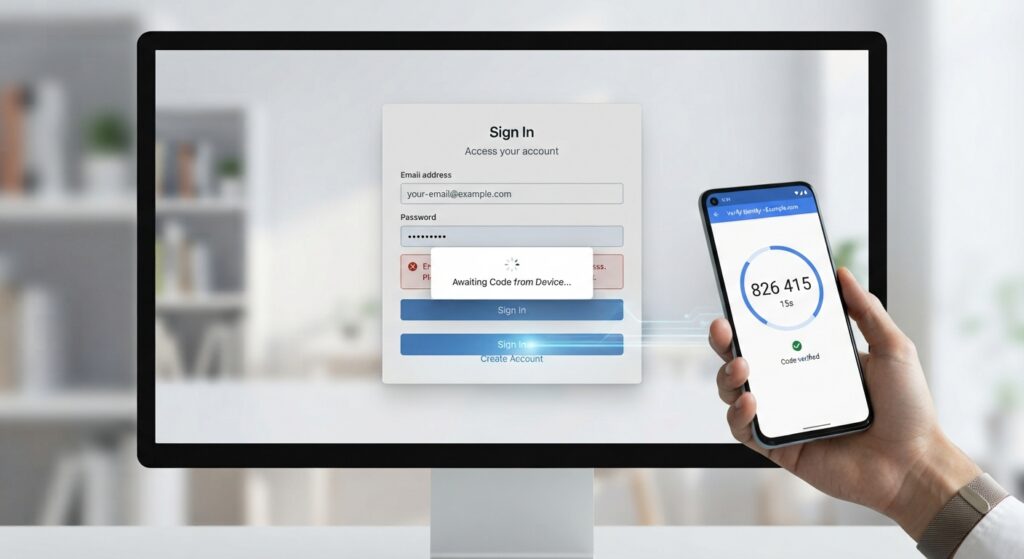
Two-factor authentication adds another layer of protection beyond your password.
When enabled, signing in may require a second verification method, such as an authentication app, security key, or verification code.
Even if someone discovers your password, two-factor authentication can make unauthorized access more difficult.
Sign Out of Other Devices
Look for an option such as Sign out of all devices or Manage your devices in your account’s security settings.
Removing unfamiliar sessions can prevent an attacker from remaining signed in after you’ve changed your password.
Check Your Recovery Settings
Review your recovery email address, phone number, trusted devices, and other security options.
Make sure everything belongs to you.
If an attacker changed any of these settings, restore them using your email provider’s official security and recovery tools.
Review Forwarding and Filters
This step is easy to overlook.
Attackers can sometimes create automatic forwarding rules or filters that redirect important emails or hide messages containing security notifications.
Check your email settings for forwarding addresses, filters, rules, and other changes you don’t recognize.
Secure Your Other Accounts
Your email account may be used to reset passwords for other online services.
After securing your email, review important accounts such as:
- Banking and financial services
- Social media
- Cloud storage
- Shopping accounts
- Work accounts
- Gaming accounts
Change passwords for accounts that may have been exposed, particularly if you reused the same password.
Check Your Devices for Malware
Sometimes an account compromise begins with malware or an information-stealing program installed on a computer.
If you notice suspicious activity across multiple accounts, scan your computer with trusted security software and make sure Windows and your applications are fully updated.
If malware is detected, remove it before continuing to use the affected device for sensitive accounts.
You can also read our guide on How to Remove Malware From Windows for additional steps.
Be Careful With Phishing
Not every account compromise starts with malware.
Phishing attacks can trick users into entering their email passwords on fake login pages. These pages are often designed to look almost identical to legitimate websites.
Before entering your password, carefully check the website address and avoid clicking login links from unexpected messages.
If you want to learn more, read our guide What Is Phishing?.
What If You Can’t Access Your Email?
If an attacker has changed your password or recovery information and you can no longer sign in, use your email provider’s official account recovery page.
Do not pay someone online who claims they can recover your account. Be especially cautious of people asking for passwords, verification codes, or remote access to your computer.
If the email account is connected to financial or business services, prioritize securing those accounts as well.
Preventing Future Account Compromises
Once you’ve recovered your account, take a few minutes to strengthen its security.
Use a unique password, enable two-factor authentication, keep your devices updated, and regularly review account activity.
It’s also worth considering a password manager. A password manager can generate and store unique passwords, making it easier to avoid password reuse.
Most importantly, remain cautious about unexpected emails asking you to click links, download files, or provide login information.
Stay Ahead With Future Tech Hub
Technology moves fast. We keep you ahead with the latest AI, technology, cybersecurity, software, and gadget news.