
Your Wi-Fi network connects phones, computers, smart TVs, and other devices to the internet. Because so many devices rely on the same connection, securing your home network is an important part of protecting your personal information.
A poorly secured Wi-Fi network can potentially allow unauthorized users to connect to your network, monitor network activity, or exploit vulnerable devices. Fortunately, improving your Wi-Fi security doesn’t require advanced technical knowledge.
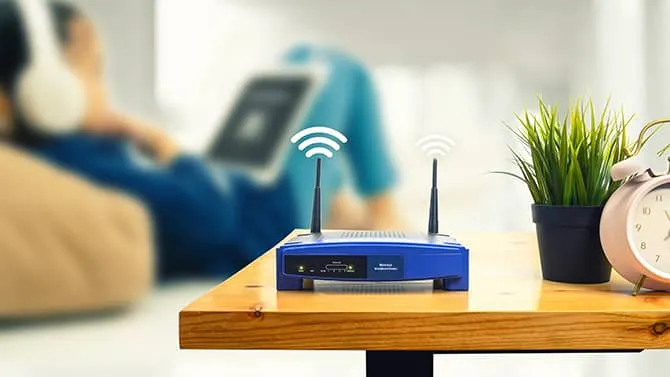
Source of image: Kapersky
Change the Default Wi-Fi Password
One of the first things you should do when setting up a router is change its default password.
Default credentials may be widely known or easy to discover, particularly on older routers. Create a strong, unique Wi-Fi password that isn’t connected to your name, address, phone number, or other easily guessed information.
A longer password or passphrase is generally easier to make both strong and memorable.
Use WPA2 or WPA3 Security
Your router’s wireless security mode plays an important role in protecting your network.
If your router supports it, WPA3 is the preferred modern standard. WPA2 is also widely supported and remains a reasonable option when WPA3 isn’t available.
Avoid outdated security protocols such as WEP, which provide significantly weaker protection.
You can usually find the wireless security settings by logging into your router’s administration interface.
Update Your Router’s Firmware
Routers contain software called firmware that controls how the device operates.
Manufacturers periodically release firmware updates to fix security vulnerabilities, improve stability, and add features. An outdated router can therefore expose your network to vulnerabilities that have already been addressed by the manufacturer.
Check your router manufacturer’s website or administration panel to see whether a firmware update is available.
If your router supports automatic updates, enabling them can make maintenance easier.

Change the Router’s Administrator Password
Your Wi-Fi password and router administrator password are not necessarily the same thing.
The administrator password protects access to your router’s configuration settings. If someone gains access to the administration interface, they may be able to change important network settings.
Use a strong, unique administrator password and avoid leaving the manufacturer’s default credentials unchanged.
Disable WPS If You Don’t Need It
Wi-Fi Protected Setup, commonly known as WPS, was designed to make connecting devices to wireless networks easier.
However, some older implementations have security weaknesses. If you don’t use WPS, disabling it can reduce the number of features that an attacker could potentially target.
The exact location of the WPS setting varies between router manufacturers.
Create a Guest Network
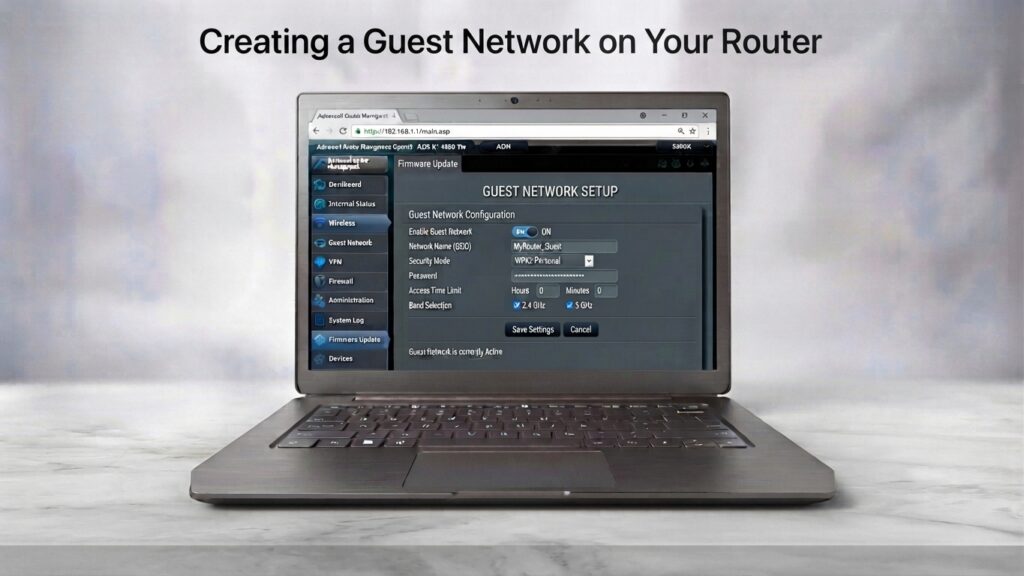
If your router supports guest networking, consider creating a separate network for visitors.
A guest network can help separate visitors’ devices from computers, storage devices, printers, and other equipment on your primary network.
This can also be useful for smart home devices that don’t need direct access to your personal computers.
Secure Your Smart Devices
Your Wi-Fi network may connect much more than just your laptop and smartphone.
Smart TVs, cameras, speakers, thermostats, gaming consoles, and other connected devices can also become potential targets if they contain vulnerabilities or use weak passwords.
Keep these devices updated and change default passwords whenever possible.
If a device no longer receives security updates from its manufacturer, consider replacing it when practical.
Turn Off Remote Administration
Many routers include a feature that allows their administration interface to be accessed remotely over the internet.
For most home users, remote administration isn’t necessary.
If you don’t need it, disabling remote administration can reduce the number of ways an attacker could potentially reach your router’s management interface.
If you do require remote access, make sure the router uses strong authentication and that its firmware is fully updated.
Check Which Devices Are Connected
It’s a good idea to occasionally review the devices connected to your Wi-Fi network.
Most modern routers provide a list of connected devices through their administration interface or mobile application.
Look for unfamiliar devices. An unknown device doesn’t automatically mean someone has hacked your network—it could be a smart appliance, television, printer, or another device you forgot about.
However, if you can’t identify a device, investigate it and consider changing your Wi-Fi password.
Be Careful With Public Wi-Fi
Securing your home network is only part of staying safe online.
Public Wi-Fi networks in airports, hotels, restaurants, and shopping centers can be convenient, but you shouldn’t automatically assume that every network is trustworthy.
Avoid accessing particularly sensitive services on unfamiliar networks when possible, and make sure websites use HTTPS. Keep your device’s firewall and security features enabled.
Securing your Wi-Fi network is only one part of staying safe online. Cybercriminals can also use social engineering techniques to trick people into revealing passwords and sensitive information. Learn how these attacks work in our guide to What Is Phishing? and the warning signs you should know.
Why Wi-Fi Security Matters
A secure Wi-Fi network creates an important layer of protection between your devices and potential attackers.
It won’t protect you from every cyber threat. Phishing, malicious downloads, compromised websites, and stolen passwords can still put your accounts at risk.
However, combining strong Wi-Fi security with software updates, strong passwords, multi-factor authentication, and good browsing habits can significantly improve your overall security.
Final Thoughts
You don’t need to be a cybersecurity expert to make your Wi-Fi network safer.
Start with the basics: use a strong password, enable WPA2 or WPA3, update your router, secure the administrator account, and regularly check connected devices.
These simple steps can make your home network considerably more difficult to target and help protect the devices and information connected to it.
Stay Ahead With Future Tech Hub
Technology moves fast. We keep you ahead with the latest AI, technology, cybersecurity, software, and gadget news.