
AI-generated images have become increasingly difficult to distinguish from real photographs. Tools powered by artificial intelligence can now create realistic people, places, products, and events from simple text prompts.
While this technology has many legitimate uses, it also creates new challenges. Fake images can be used for scams, misinformation, impersonation, advertising, or simply to make people believe something happened when it did not.
Knowing how to identify AI-generated images is becoming an important digital skill. Fortunately, there are several signs and techniques that can help you determine whether an image is genuine.
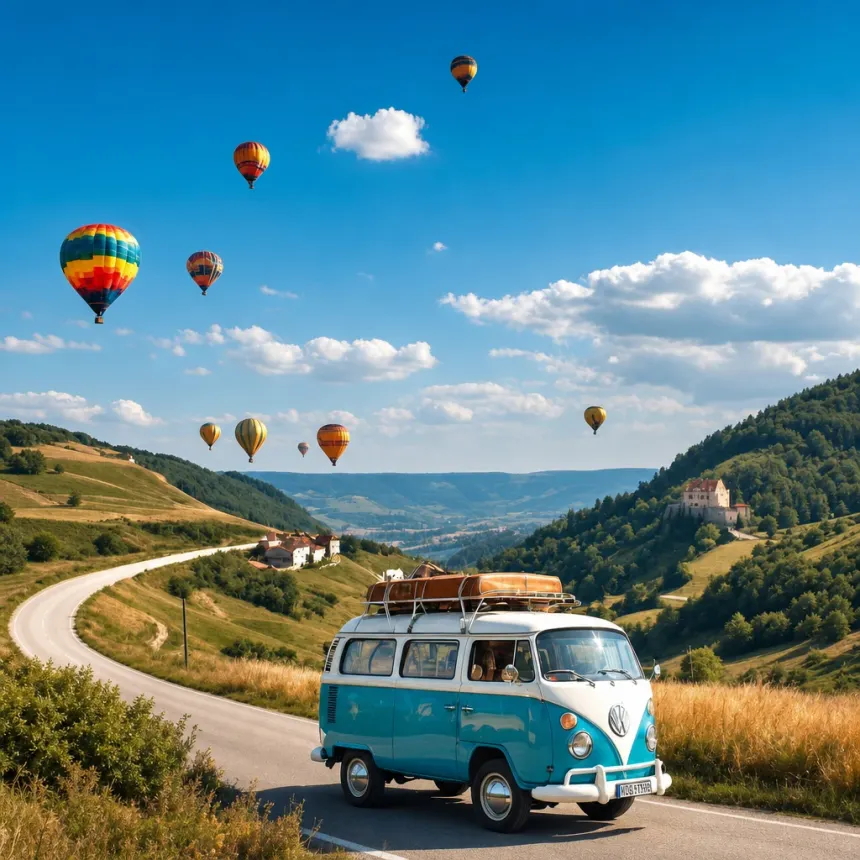
What Are AI-Generated Images?
AI-generated images are pictures created or significantly modified using artificial intelligence.
Instead of taking a photograph with a camera, a user can describe what they want, and an AI image generator can create an image based on that description.
Modern image-generation systems can produce highly detailed results, including realistic lighting, textures, faces, and environments. Some can also edit existing photographs by adding, removing, or changing objects.
This makes AI-generated content useful for designers, businesses, content creators, and many other users.
However, the same technology can also be misused to create convincing fake content.
Why Are AI-Generated Images Difficult to Spot?
Older AI-generated images often contained obvious mistakes. People might have noticed strange hands, distorted faces, unrealistic objects, or poorly rendered backgrounds.
Today’s AI systems have improved significantly.
Many generated images can look convincing at first glance, particularly when viewed on a smartphone or social media feed.
This is why looking for just one mistake isn’t always enough. Instead, you should examine several aspects of an image and consider where it came from.
AI tools are becoming increasingly capable of generating content, analyzing information and assisting with complex tasks. For a closer look at how these systems work, read our guide What Is an AI Agent? A Simple Guide to How AI Agents Work.
Look Closely at Hands and Fingers
Hands have historically been one of the more difficult elements for image-generation systems to reproduce accurately.
Although modern AI models have improved, unusual hands can still provide a clue.
Look for:
- Extra fingers
- Missing fingers
- Unusual finger positions
- Fingers that appear merged together
- Strange-looking fingernails
- Hands that don’t match the position of the arms
One strange detail doesn’t automatically prove an image was generated by AI, but several inconsistencies should make you more cautious.

Examine Faces Carefully
Faces can also contain subtle clues.
When examining a suspicious image, look closely at the eyes, teeth, ears, hair, and facial proportions.
Potential warning signs include:
- Eyes that don’t appear aligned
- Unusual reflections in the eyes
- Teeth that look unnatural
- Earrings or glasses that appear distorted
- Hair blending strangely into the background
- Inconsistent facial details
Again, these signs aren’t definitive on their own. Image compression and editing can also create visual artifacts.
Check Text and Signs
AI-generated images can still struggle with text.
Look at signs, posters, labels, menus, screens, books, and product packaging within an image.
You may find:
- Misspelled words
- Random characters
- Letters that don’t form recognizable words
- Inconsistent fonts
- Text that changes between different parts of the same object
This can be particularly useful when examining images that supposedly show real locations or products.
If a photograph contains a large amount of clearly distorted text, it deserves closer examination.
Look for Inconsistent Lighting and Shadows
Real photographs generally follow consistent physical lighting.
If a person is standing in sunlight, for example, their shadow should correspond to the direction of the light source.
AI-generated images can sometimes contain inconsistencies such as shadows pointing in different directions or highlights that don’t match the surrounding environment.
Pay attention to:
- Shadows
- Reflections
- Light sources
- Highlights
- Object edges
These details can sometimes reveal that an image isn’t a conventional photograph.
Examine the Background
Don’t focus only on the main subject.
AI-generated images can sometimes contain strange background details that are easy to miss.
Look for objects that appear distorted, repeated, or physically impossible.
For example, you might notice unusual windows, furniture, vehicles, buildings, or people in the distance.
Zooming into the background can reveal details that aren’t immediately visible when looking at the complete image.
Check Reflections
Reflections can be another useful clue.
Look at mirrors, windows, sunglasses, water, and shiny surfaces.
The reflection should correspond logically to the object or person being reflected.
AI-generated images can sometimes produce reflections that don’t accurately match their surroundings.
However, sophisticated AI systems are becoming better at handling these details, so reflections should be treated as one clue rather than definitive evidence.
Check Where the Image Came From
One of the most important steps isn’t actually looking at the image itself.
Look at its source.
Ask yourself:
Where did this image originally come from?
If an image claims to show a major news event but only appears on an unknown social media account, that should encourage you to investigate further.
Try to find the earliest available source and see whether reputable news organizations, official accounts, or other reliable sources have published the same image.
An image being widely shared doesn’t automatically make it authentic.
Use Reverse Image Search
Reverse image search can help determine where an image has appeared online.
You can upload an image or provide its URL to a reverse image search service and look for other versions of the same picture.
This can help you discover:
- Older versions of an image
- The original source
- Different captions
- Previous uses of the image
- Articles discussing whether the image is authentic
If an image supposedly showing a recent event existed online years earlier, for example, that would be an important warning sign.
Check Image Metadata
Images can sometimes contain metadata that provides information about how they were created or processed.
Depending on the file, metadata may include information about the camera, software, date, or other properties.
Some AI tools may also leave metadata or other indicators associated with generated content.
However, metadata should not be treated as proof.
Social media platforms and other services can remove or change metadata when images are uploaded. Metadata can also be edited.
It is therefore best used alongside other verification methods.

Can AI Detection Tools Identify Fake Images?
There are tools designed to analyze images and estimate whether they were generated or manipulated using AI.
These systems can look for patterns and technical characteristics that may indicate synthetic content.
However, AI detection tools are not perfect.
They can produce false positives, meaning they may identify a real image as AI-generated. They can also miss AI-generated content, particularly when the image has been edited, compressed, resized, or processed after generation.
For this reason, an AI detector should be considered one piece of evidence rather than the final authority.
Be Careful With Social Media
Social media makes it extremely easy for images to spread before their authenticity has been established.
A dramatic image can receive thousands of shares within a short period of time.
This creates a problem because people often see the number of shares as a form of validation.
It isn’t.
An image can be viewed and shared millions of times and still be completely fake.
Before sharing a surprising image, take a moment to check its source and look for independent confirmation.
AI-Generated Images Aren’t Always Bad
It’s important to distinguish between AI-generated content and deceptive content.
There is nothing inherently wrong with creating an image using AI.
Artists, designers, businesses, educators, and content creators can use AI-generated images for legitimate purposes.
The problem occurs when someone intentionally presents an artificial image as a genuine photograph in order to deceive people.
For example, clearly labeling an AI-generated illustration for an article is very different from presenting that same illustration as evidence of a real event.
The context and intent matter.
How to Verify a Suspicious Image
If you’re unsure whether an image is real, don’t immediately share it.
Instead, follow a few simple steps:
- Examine the image closely. Look at faces, hands, text, shadows, and backgrounds.
- Check the original source. Find out who posted it first.
- Search for the image elsewhere. Use reverse image search to find older versions.
- Look for independent reporting. See whether reliable sources have reported the event.
- Check the date and context. An authentic image can still be presented with a false caption.
- Use AI detection tools carefully. Treat their results as an additional signal rather than absolute proof.
- Don’t share it until you’re confident.
These steps can significantly reduce the chance of accidentally spreading misleading content.
The Future of AI-Generated Images
AI image generation will continue to improve.
As these systems become better at reproducing small details, identifying fake images simply by looking for visual mistakes may become increasingly difficult.
This means digital literacy will become even more important.
People will need to think beyond “Does this image look real?” and start asking “Where did this image come from, and can its claims be independently verified?”
Technology will continue to provide better detection tools, but careful verification and critical thinking will remain essential.
Final Thoughts
AI-generated images are becoming increasingly realistic, making it harder to distinguish synthetic content from genuine photographs.
There is no single method that can identify every AI-generated image. Instead, the most reliable approach is to combine visual inspection with source verification, reverse image searches, metadata analysis, and independent reporting.
Most importantly, don’t assume that an image is real simply because it looks convincing or has been widely shared.
As AI image-generation technology continues to evolve, taking a few extra seconds to verify what you see online can help you avoid scams, misinformation, and deceptive content.
Stay Ahead With Future Tech Hub
Technology moves fast. We keep you ahead with the latest AI, technology, cybersecurity, software, and gadget news.