
A password alone is no longer enough to protect many important online accounts.
Passwords can be guessed, stolen through phishing attacks, exposed in data breaches, or reused across multiple websites. Even a strong password can become useless if an attacker obtains it.
Two-factor authentication, commonly called 2FA, adds another layer of protection by requiring users to prove their identity in a second way after entering their password.
Instead of relying on something you know, such as a password, 2FA can require something you have, such as a phone or security key, or something you are, such as a fingerprint.
This makes it significantly harder for an attacker to access an account using a stolen password alone.
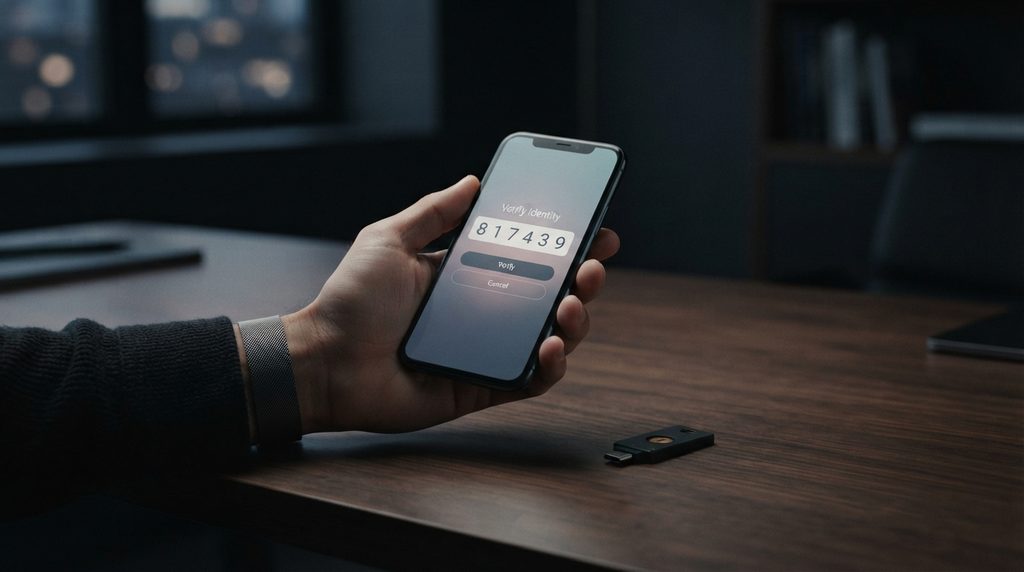
What Is Two-Factor Authentication?
Two-factor authentication is a security method that requires two different authentication factors to verify a user’s identity.
The important word is “different.”
Two-factor authentication is part of the broader concept of multi-factor authentication, which requires users to provide more than one type of authentication evidence. The National Institute of Standards and Technology (NIST) explains that multi-factor authentication strengthens account security by requiring multiple authentication factors, making it harder for an attacker to gain access using a compromised credential alone.
Entering two passwords does not normally qualify as true two-factor authentication because both credentials belong to the same category: something you know.
A genuine two-factor authentication system combines two different types of factors.
The three main authentication factor categories are:
- Something you know: A password, PIN, or other secret
- Something you have: A phone, authentication app, hardware security key, or other physical device
- Something you are: A fingerprint, facial recognition, or another biometric characteristic
For example, logging into an account with a password and then entering a code generated by an authentication app combines something you know with something you have.
Even if an attacker discovers the password, they would still need access to the second authentication factor.
How Does Two-Factor Authentication Work?
The process is usually straightforward.
First, the user enters their username or email address and password.
The service checks the credentials. If the password is correct and two-factor authentication is enabled, the service requests the second authentication factor.
Depending on the method being used, the user might then:
- Enter a code from an authentication app
- Approve a login notification on another device
- Insert or tap a security key
- Use a fingerprint or facial recognition
- Enter a code received through another authentication method
Only after the additional verification succeeds does the service allow access.
The basic process can therefore be represented as:
Username → Password → Second authentication factor → Account access
This additional step creates another barrier between an attacker and the account.

Why Is Two-Factor Authentication Important?
Passwords have several weaknesses.
People sometimes reuse the same password across multiple services. Others choose passwords that are easier to remember but also easier to guess.
Attackers can also obtain passwords through phishing, malware, credential theft, password spraying, or data breaches.
This is why protecting an account with a password alone can be risky.
Two-factor authentication reduces the consequences of password theft because knowing the password is no longer sufficient to complete the login process.
For example, imagine an attacker obtains your password through a phishing website.
Without 2FA, the attacker may be able to sign in immediately.
With properly configured 2FA, the attacker may reach the second verification step but still be unable to access the account because they don’t possess the required authentication factor.
This doesn’t make an account invulnerable, but it can make unauthorized access considerably more difficult.
The Different Types of Two-Factor Authentication
Not every 2FA method provides the same level of protection.
Understanding the differences is important when deciding which option to use.
Authentication Apps
Authentication apps generate temporary verification codes that change regularly.
When an account is configured with an authentication app, the service and app establish a shared secret. The app can then generate time-based codes that the user enters during login.
Examples of authentication apps include Microsoft Authenticator, Google Authenticator, and Authy.
Authentication apps are generally a stronger choice than SMS-based verification because the security of the second factor does not depend entirely on the mobile phone network.
They are also convenient because the user can generate a code without waiting for a text message.
Push Notifications
Some services send a login approval notification to a trusted device.
Instead of typing a code, the user receives a notification asking whether they are attempting to sign in.
If the login is legitimate, they can approve it.
Push-based authentication can be convenient, but users need to pay attention to unexpected login requests.
If an attacker repeatedly sends authentication requests hoping that a distracted user eventually approves one, the user may accidentally authorize a fraudulent login.
This technique is sometimes called MFA fatigue or push-bombing.
The safest approach is simple: never approve a login request that you did not initiate.
SMS Codes
SMS-based two-factor authentication sends a temporary code to a registered phone number.
It is easy to understand and widely supported, which makes it better than having no additional authentication at all.
However, SMS has security weaknesses.
Attackers may attempt to take control of a victim’s phone number through social engineering or SIM-swapping attacks. Phone networks can also be targeted in ways that other authentication methods avoid.
For this reason, an authentication app or hardware security key is generally preferable when a service provides those options.
That doesn’t mean SMS 2FA is useless. It can still provide an important security improvement over password-only authentication.
Hardware Security Keys
Security keys are physical devices designed specifically for authentication.
A user can connect or tap the key during login, depending on the device and platform.
Modern security keys can support strong phishing-resistant authentication standards such as FIDO2 and WebAuthn.
Because the authentication process is tied to the legitimate website or service, these methods can provide stronger protection against phishing than simply entering a temporary code.
Security keys are especially useful for people who need a high level of account protection, including administrators, businesses, and individuals with particularly valuable accounts.
Biometrics
Biometric authentication uses characteristics such as fingerprints or facial recognition.
A fingerprint scanner or facial recognition system can verify that the person attempting to access a device or account is the authorized user.
Biometrics can be extremely convenient because there is nothing additional to memorize.
However, biometric authentication has an important difference from a password.
A password can be changed if it is compromised. A person’s fingerprint or face cannot simply be replaced.
For this reason, biometric authentication is often best understood as one component of a broader authentication system rather than a universal replacement for every other security control.
Is SMS Two-Factor Authentication Secure?
SMS-based 2FA is better than relying only on a password, but it is not considered the strongest available authentication method.
The main concern is that a phone number can potentially be targeted by attackers.
One example is SIM swapping, where an attacker attempts to convince a mobile carrier to transfer a victim’s phone number to a SIM card controlled by the attacker.
If successful, text messages containing authentication codes could potentially be redirected.
There are also other weaknesses associated with telecommunications systems.
For sensitive accounts, using an authentication app, passkey, or hardware security key is generally a stronger option when available.
The important takeaway is not to disable 2FA simply because one method is imperfect. Any additional layer is generally better than password-only protection, while stronger authentication methods provide better protection when available.
Two-Factor Authentication and Phishing
2FA can significantly improve account security, but users should understand that not every form of 2FA provides the same protection against phishing.
An attacker may create a fake login page designed to capture both a password and a temporary authentication code.
The victim enters the password and code into the fraudulent website, allowing the attacker to use the stolen information before the code expires.
This is one reason phishing-resistant authentication is important.
Users should remain cautious when receiving unexpected login requests, authentication prompts, or links asking them to sign in.
Learning to recognize phishing attacks is an important part of protecting an account because authentication technology works best when combined with good security habits.
Two-Factor Authentication vs Multi-Factor Authentication
The terms two-factor authentication and multi-factor authentication are closely related, but they are not identical.
Two-factor authentication specifically uses two authentication factors.
Multi-factor authentication, or MFA, is the broader concept of using multiple authentication factors.
For example, a system could require a password, a security key, and biometric verification. That would involve multiple authentication factors and would go beyond traditional two-factor authentication.
In everyday conversations, however, people sometimes use “2FA” and “MFA” interchangeably.
The important principle is that authentication should not depend on a single piece of information that an attacker can easily steal.
2FA Codes Are Not Passwords
A temporary authentication code is different from a normal password.
A password may remain unchanged until the user updates it. A one-time authentication code is designed to have a limited lifetime or limited use.
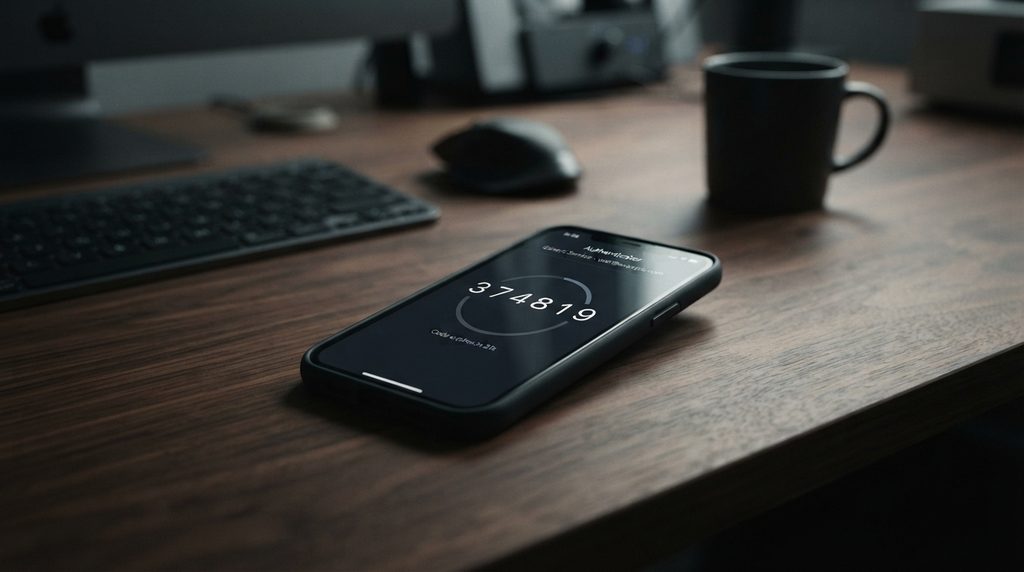
For example, an authentication app may display a six-digit code that changes periodically.
The temporary nature of these codes means that stealing one code does not necessarily give an attacker permanent access.
However, users should still treat authentication codes as sensitive information.
Never provide a verification code to someone who contacts you unexpectedly and asks for it.
A legitimate company representative should not need you to disclose a security code that was sent to your account for a login you did not initiate.
What Happens If You Lose Your Phone?
One concern people have when enabling 2FA is what happens if they lose their phone.
The answer depends on the authentication method and the account provider.
Many services offer backup codes that can be stored securely and used if the primary authentication device becomes unavailable.
Some platforms also allow users to register multiple authentication devices.
For important accounts, it is worth setting up recovery options before an emergency occurs.
Store backup codes somewhere secure rather than keeping them in an easily accessible location alongside your phone.
If you lose access to your primary authentication device, follow the provider’s official account recovery process rather than relying on third-party services or people claiming they can recover the account for you.
Two-Factor Authentication and Passkeys
Passkeys represent another important development in account security.
Unlike traditional passwords, passkeys use cryptographic credentials designed to authenticate users without requiring them to enter a password.
They can also provide strong protection against phishing because the authentication credentials are cryptographically associated with the legitimate website or service.
For a deeper explanation of this technology, passkeys are changing the way people authenticate online by moving beyond traditional passwords.
Passkeys and 2FA should not necessarily be viewed as competing technologies.
Depending on the service and implementation, passkeys can provide strong authentication on their own, while other systems may use additional factors or recovery mechanisms.
The broader trend is toward authentication methods that make stolen passwords less useful to attackers.
Does Two-Factor Authentication Stop Hackers?
No security technology can guarantee that an account will never be compromised.
Two-factor authentication is an important security layer, but it does not eliminate every possible attack.
Attackers can target users through phishing, malware, social engineering, stolen sessions, compromised devices, or weaknesses in account recovery systems.
Some attacks also attempt to trick users into approving fraudulent authentication requests.
For that reason, 2FA should be treated as one part of a larger security strategy.
Strong unique passwords, updated software, secure devices, phishing awareness, careful account recovery settings, and appropriate authentication methods all contribute to better protection.
Why Email Accounts Need Strong Authentication
Email accounts deserve particular attention because they are often connected to many other online services.
If an attacker gains control of an email account, they may be able to use password-reset functions to access other accounts connected to that email address.
They may also be able to read sensitive communications, impersonate the account owner, or search for information that helps them compromise additional services.
For this reason, enabling strong authentication on your primary email account should be one of the highest priorities in your personal security setup.
If you suspect that someone has already gained access to your email, recognizing the signs of a hacked email account and taking action quickly can help limit further damage.
Best Practices for Using Two-Factor Authentication
Enabling 2FA is an important step, but configuring it correctly matters.
Consider these practices:
Use the Strongest Available Method
If a service supports passkeys or hardware security keys, consider using them instead of weaker authentication options.
If those aren’t available, an authentication app is generally a strong choice.
SMS can still provide useful protection when stronger options aren’t available.
Save Your Backup Codes
Store recovery codes somewhere secure.
Without them, losing your authentication device can make account recovery much more difficult.
Don’t Approve Unexpected Login Requests
If you receive an authentication notification that you did not initiate, don’t approve it.
Unexpected prompts can be a warning that someone knows your password and is attempting to access your account.
Never Share Authentication Codes
Treat verification codes as sensitive information.
If someone asks you to provide a code that was sent to your phone or authentication app, stop and verify what is happening before continuing.
Protect Your Primary Email
Your email account often acts as a recovery mechanism for other services.
Protecting it with strong authentication can therefore help protect many other accounts at the same time.
Keep Devices Updated
Authentication is only one part of account security.
Keeping your operating system, browser, applications, and security software updated can reduce exposure to known vulnerabilities.
What If an Attacker Has Both Your Password and 2FA Code?
This situation is more serious because the attacker may be able to complete the login process.
It can happen through phishing, malware, social engineering, or other attacks designed to capture authentication information in real time.
If you believe your credentials have been exposed, act quickly.
Change the affected password, revoke suspicious sessions or logged-in devices, review account recovery settings, check for unauthorized changes, and follow the service’s security recommendations.
If the account contains sensitive information or controls other important accounts, treat the incident as a priority.
Should You Enable Two-Factor Authentication?
For important online accounts, yes.
Email, banking, social media, cloud storage, password managers, work accounts, and other services containing sensitive information should be protected with strong authentication whenever possible.
Even though 2FA is not perfect, it creates an additional barrier that can stop many attacks that would otherwise succeed with a stolen password.
The best authentication method depends on the service, but the general principle is simple: don’t rely on a password alone when stronger protection is available.
Two-Factor Authentication Is an Essential Security Layer
Two-factor authentication has become one of the most practical ways to strengthen online accounts.
By requiring an additional authentication factor beyond a password, it can significantly reduce the risk associated with stolen or compromised credentials.
Authentication apps, security keys, passkeys, push notifications, SMS codes, and biometric methods all have different strengths and weaknesses. Choosing the strongest practical option is important, particularly for accounts containing sensitive information.
At the same time, authentication technology should not replace basic security awareness. Phishing, social engineering, malware, and compromised devices can still create risks.
The strongest approach combines secure authentication with good password practices, updated devices, careful handling of suspicious messages, and an understanding of how modern account attacks work.
For most people, enabling two-factor authentication is a small change that can provide a meaningful improvement in account security.
Stay Ahead With Future Tech Hub
Technology moves fast. We keep you ahead with the latest AI, technology, cybersecurity, software, and gadget news.