
Passwords have been protecting online accounts for decades, but they remain one of the weakest parts of modern cybersecurity.
People reuse passwords, choose predictable combinations, forget them, accidentally enter them on fraudulent websites, and sometimes store them in places where attackers can find them. Even when users follow good password practices, criminals continue to target login credentials through phishing, malware, data breaches, and social engineering.
Passkeys are designed to change that.
Instead of asking users to remember and type a secret password, passkeys use cryptographic credentials stored and protected by a device or password manager. Signing in can be as simple as using a fingerprint, facial recognition, device PIN, or another supported authentication method.
The technology represents a major shift in online security: rather than trying to create better passwords, the industry is increasingly looking for ways to make passwords unnecessary.
What Are Passkeys?
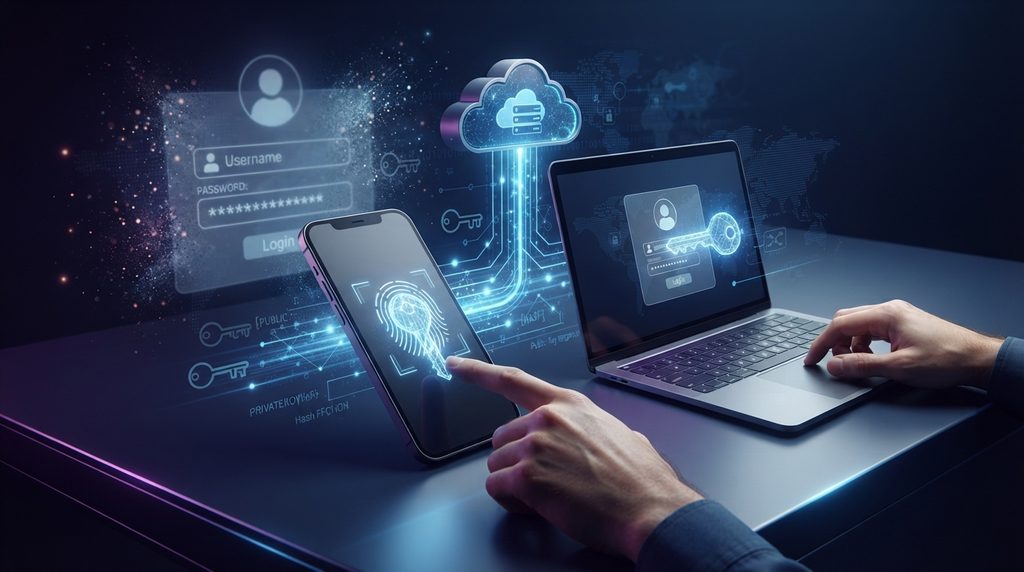
Passkeys are passwordless digital credentials based on public-key cryptography.
When a passkey is created for an online account, two mathematically related cryptographic keys are generated.
The public key is registered with the website or service. The private key remains protected on the user’s device or within a supported credential manager.
The private key is not simply sent to the website like a password.
When the user signs in, the service sends a cryptographic challenge. The device uses the protected private key to respond to that challenge after the user authorizes the login.
The service can then verify the response using the public key.
From the user’s perspective, this can happen almost instantly.
The important difference is that there is no traditional password that needs to be transmitted or remembered.
Why Passwords Are Still a Security Problem
Passwords are not inherently useless, but the way people use them creates serious security problems.
A person might have dozens of online accounts. Creating a different, strong password for every service is difficult to manage without a password manager.
As a result, many people reuse passwords.
That creates a dangerous chain reaction. If one company’s database is breached and a reused password is exposed, attackers may try the same credentials against email accounts, social media platforms, shopping websites, financial services, and other systems.
Phishing creates another problem.
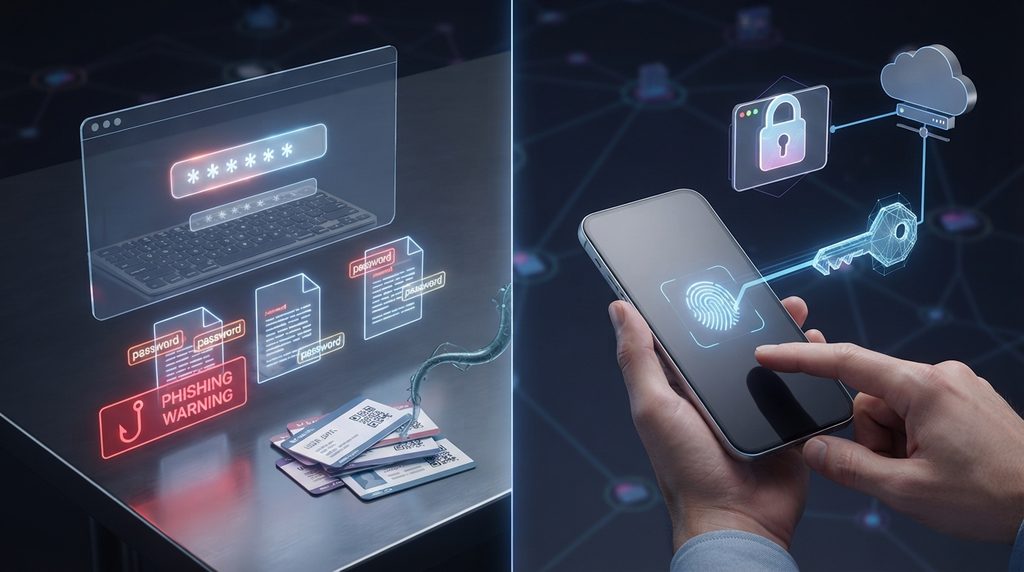
A criminal can build a fake login page that looks almost identical to a legitimate website. If the victim enters a password, the attacker can potentially use that password somewhere else.
Passkeys approach authentication from a fundamentally different direction.
Passkeys and Phishing Protection
One of the most important advantages of passkeys is their strong resistance to phishing.
A password is a secret that a user can be tricked into revealing.
A passkey’s private credential is designed to remain protected rather than being typed into a website.
The authentication process is also associated with the legitimate service for which the credential was created. A fraudulent website cannot simply ask the user to type the passkey into a form and receive the underlying private key.
This makes passkeys particularly useful against attacks that depend on stealing reusable login credentials.
Phishing attacks will not disappear because of passkeys. Criminals can still attempt to manipulate users through fake support messages, malicious applications, fraudulent account recovery pages, and other techniques.
One of the most important advantages of passkeys is their strong resistance to phishing attacks.
However, removing passwords eliminates an important target.
The Technology Behind Passkeys
The security of passkeys comes from public-key cryptography.
The basic concept is not new. Public-key cryptography has been used for secure communications and authentication for many years.
Passkeys apply this concept to everyday account authentication in a way designed to be simple for ordinary users.
The private key proves control of the credential without revealing the private key itself.
This creates a major security advantage over traditional passwords.
A website can store the public key needed to verify authentication without storing the user’s actual secret password.
If an attacker steals the public key from a service, that information is not equivalent to stealing a password.
The attacker would still need the corresponding private key to authenticate.
Are Passkeys More Secure Than Passwords?
For many common account attacks, passkeys can provide significantly stronger protection than traditional passwords.
They reduce exposure to password theft, credential stuffing, and many forms of phishing.
They also eliminate the need to create increasingly complicated passwords simply to compensate for weaknesses in password-based authentication.
But no authentication technology makes an account completely immune to attacks.
A user’s device still needs to be protected. Account recovery mechanisms also matter. Malware, social engineering, stolen devices, and compromised accounts can create risks that passkeys alone cannot eliminate.
Strong authentication is especially important for accounts such as email, because a compromised email account can be used to reset passwords for other services. Knowing the signs of a hacked email account can help you respond before the damage spreads.
Good cybersecurity therefore still requires multiple layers of protection.
Are Passkeys Private?
Passkeys can provide an important privacy benefit because biometric information used to authorize a credential generally stays on the user’s device.
For example, when a fingerprint is used to approve a passkey login, the website does not need to receive a copy of the fingerprint.
The biometric check happens locally.
The device essentially confirms that the person attempting to use the credential has passed the required local authentication step.
The service receives the cryptographic authentication result rather than the user’s biometric data.
This distinction is important because biometrics and passkeys are not the same thing.
A fingerprint or face scan can be used to unlock or authorize a passkey, but the biometric information itself does not need to become the online credential.
What Happens If You Lose Your Device?
Losing a smartphone or computer can be worrying, particularly when it contains credentials for important accounts.
The effect of losing a device depends on how the passkey was created and stored.
Some passkeys can be synchronized securely across a user’s devices through supported credential-management systems. This can make it possible to access the same credentials from another trusted device.
Other passkeys may be tied more closely to a particular physical security device.
Account recovery also plays an important role.
Before switching completely away from passwords, users should understand the recovery methods offered by each service. Keeping a trusted backup device and maintaining secure recovery information can prevent a lost device from becoming an account-lockout disaster.
Passkeys vs. Password Managers
Passkeys do not necessarily make password managers obsolete.
Traditional password managers store passwords so users do not have to remember them. Passkeys replace passwords with cryptographic credentials.
Modern password managers can support both.
This means someone can use passkeys for services that support them while continuing to use a password manager for older websites that still require traditional passwords.
Over time, the balance may shift toward passkeys as more services adopt passwordless authentication.
For now, a password manager remains useful because the internet is still a mixed environment where passwords and passkeys coexist.
Can Passkeys Be Used Across Devices?
Yes.
Cross-device support is an important part of making passwordless authentication practical.
A user might create a passkey on a smartphone but later want to access the same service from a laptop.
Depending on the platform and service, passkeys can be synchronized through supported credential managers or used through cross-device authentication.
This means users are not necessarily locked into one physical device.
The exact experience depends on the operating system, browser, account provider, and credential manager being used.
What Happens When You Sign In With a Passkey?
Although the underlying cryptography is sophisticated, the user experience is deliberately simple.
A typical login looks something like this:
- You open a website or application.
- You select the passkey login option.
- Your device identifies an available credential.
- You authorize the login using a fingerprint, face scan, PIN, or another local method.
- The device performs the cryptographic authentication.
- The service verifies the response.
- You are signed in.
The user does not need to type a password.
The cryptographic work happens in the background.
Are Passkeys Completely Passwordless?
The answer depends on the specific service.
A website may support passkeys while still offering passwords as an alternative. Some accounts may also require additional authentication during certain security-sensitive actions.
There can also be account recovery procedures that involve other forms of verification.
Therefore, adopting passkeys does not automatically mean every password associated with an account disappears immediately.
Instead, passkeys provide an alternative authentication mechanism that can gradually reduce reliance on traditional passwords.
Why Are Technology Companies Supporting Passkeys?
The move toward passkeys is part of a broader effort to improve authentication.
Technology companies have strong incentives to reduce password-related attacks because stolen credentials create problems for both users and service providers.
Password resets also generate support requests and administrative costs.
A successful phishing attack can lead to compromised accounts, fraudulent transactions, data theft, and reputational damage.
Passkeys address several of these problems at the authentication layer.
They can also make signing in easier for users because authentication can be completed using security features they already use on their devices.
The Limitations of Passkeys
Despite their advantages, passkeys are not perfect.
The biggest limitation is adoption.
Not every website supports passkeys yet, meaning users will continue encountering traditional passwords.
The user experience can also vary between platforms.
Account recovery is another consideration. A person who loses access to their devices and recovery methods may face difficulties recovering an account.
Organizations also need to train employees and configure their systems correctly.
Technology alone cannot eliminate every security risk.
Passkeys are best understood as one important component of a broader security strategy.
Should You Switch to Passkeys?
If an important account supports passkeys, there is a strong reason to consider using one.
Start with accounts that contain valuable information or provide access to other services.
Email is a particularly important example because an email account can often be used to reset passwords for other accounts.
You can gradually adopt passkeys rather than trying to change every account at once.
Keep your devices updated, protect them with a strong screen lock, and understand the recovery options available for your accounts.
For websites that still require passwords, using unique passwords with a reputable password manager remains a sensible approach.
Passkeys and the Future of Online Security
The internet was built around passwords because they were simple to understand and relatively easy to implement.
The problem is that the modern internet has become much more complex.
People now have accounts across dozens or even hundreds of services. Cybercriminals have sophisticated tools for stealing credentials, automating login attempts, and creating convincing phishing campaigns.
Passkeys offer a different model.
Instead of asking users to repeatedly prove their identity by entering a secret, devices can use cryptographic credentials to authenticate them securely.
As support expands across websites, browsers, operating systems, applications, and credential managers, passwordless authentication could become increasingly normal.
The transition will not happen overnight.
For years, passwords and passkeys will likely exist side by side.
But the direction is clear: online authentication is moving toward methods that require less reliance on secrets that humans can accidentally reveal.
Stay Ahead With Future Tech Hub
Technology moves fast. We keep you ahead with the latest AI, technology, cybersecurity, software, and gadget news.